Postlume
AI social media scheduler SaaS: plan, write, approve and publish posts to nine networks from one calendar. Next.js 16, PostgreSQL and Docker.
Version 1.0.0 · 16 October 2026
1. Welcome
Thank you for buying Postlume. This guide takes you from the download to a running site with your own name, your own keys and your first paying customer. You do not need to write code. Every step that needs a terminal shows the exact command.
Postlume is a complete software-as-a-service product. Your customers sign up, create a workspace, add brands, connect their social accounts and schedule posts. You run the site, set the plans and keep the money.
What is inside
- Nine networks: X, LinkedIn, Facebook Pages, Instagram (business and creator accounts), Threads, Bluesky, YouTube, TikTok and Pinterest, each behind its own adapter. Without app keys a network uses the built-in demo provider, so every feature works on the first run.
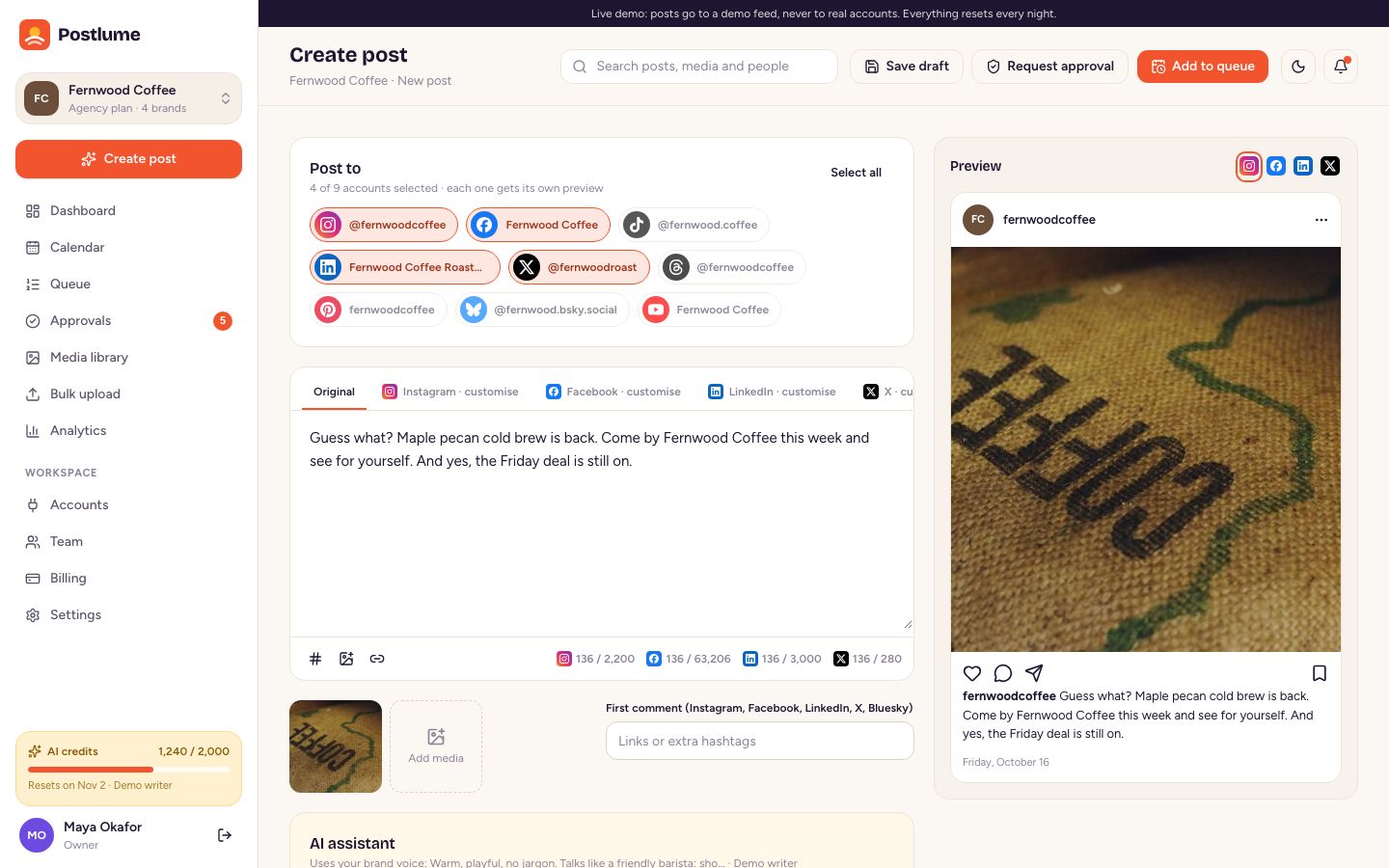
- Composer: one post with its own version per network, live previews, media, first comment, character counters and automatic checks.
- AI writer: captions in three variations, rewrites, hashtags, weekly post ideas and AI images, with your own OpenAI, Anthropic or Gemini key. Plans include monthly AI credits.
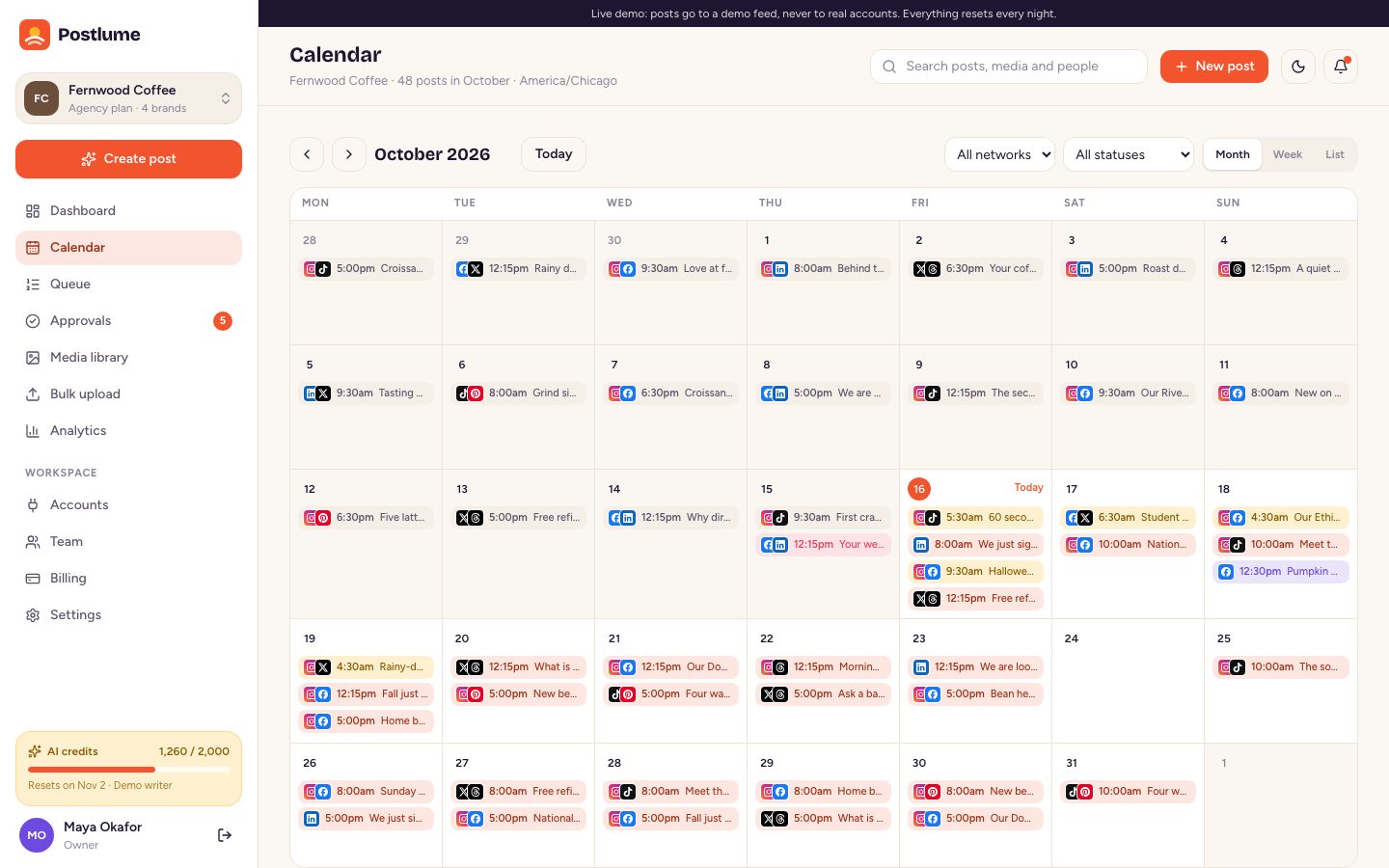
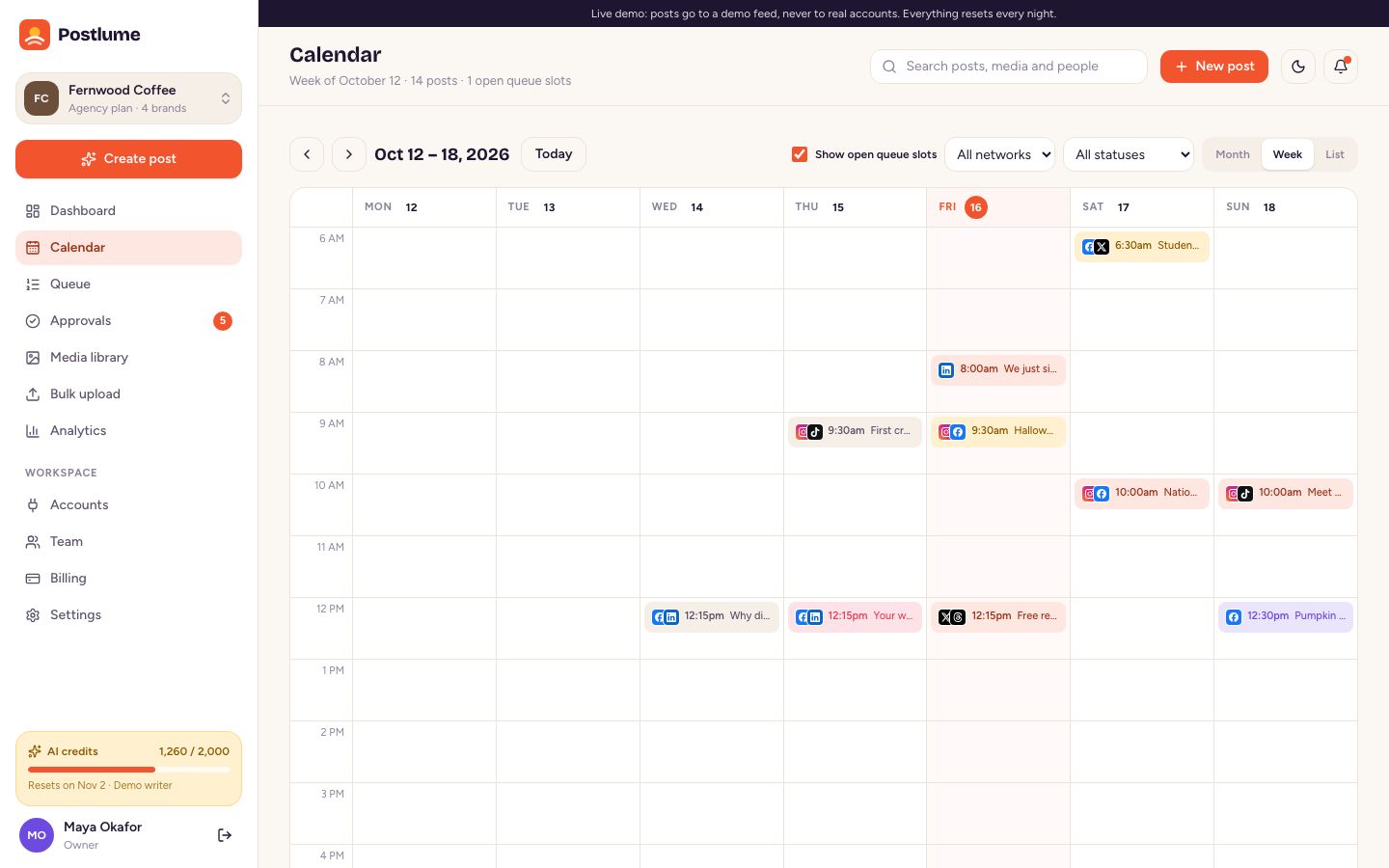
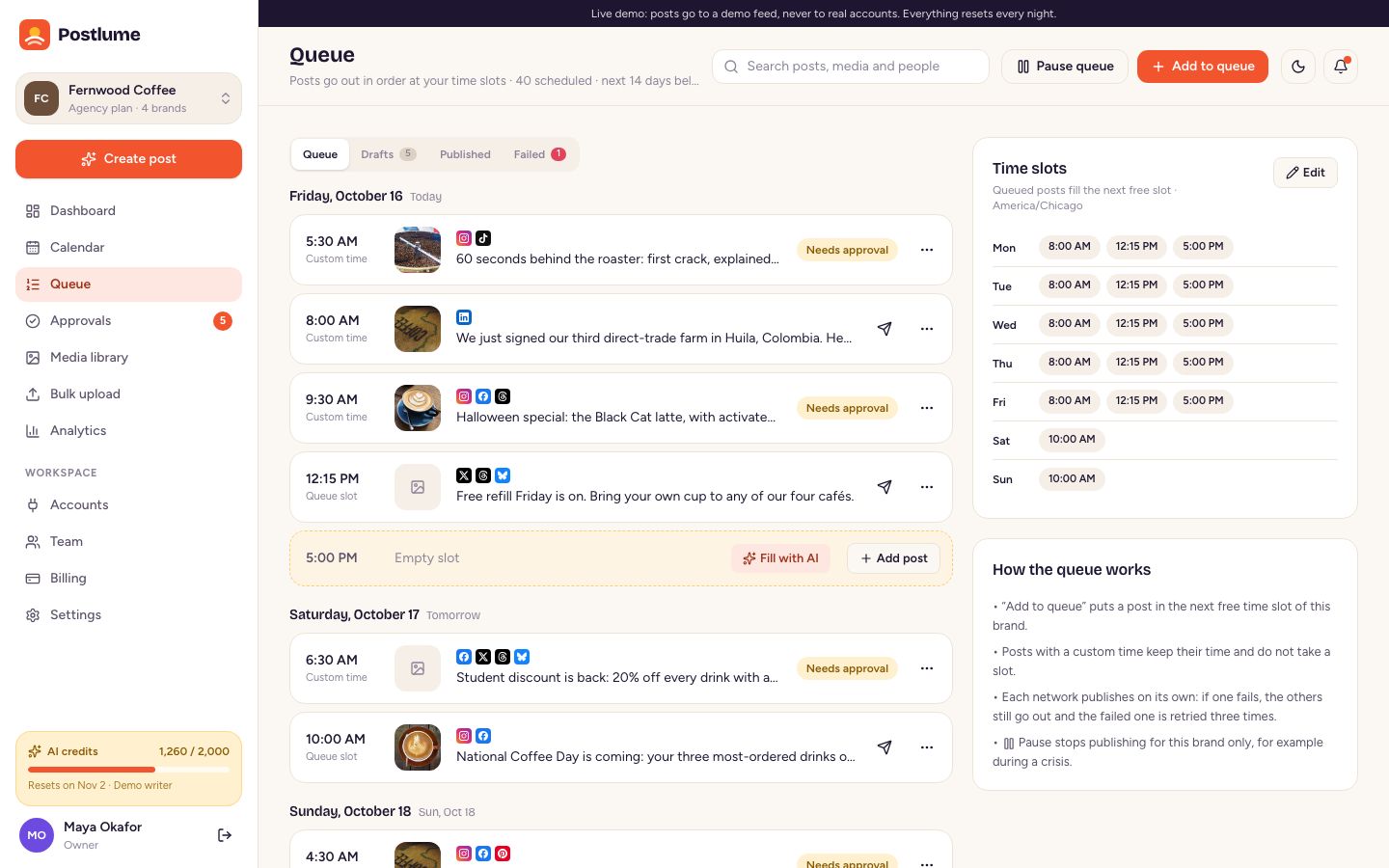
- Calendar (month, week, list) with drag and drop, a queue with time slots per brand, and a pause switch.
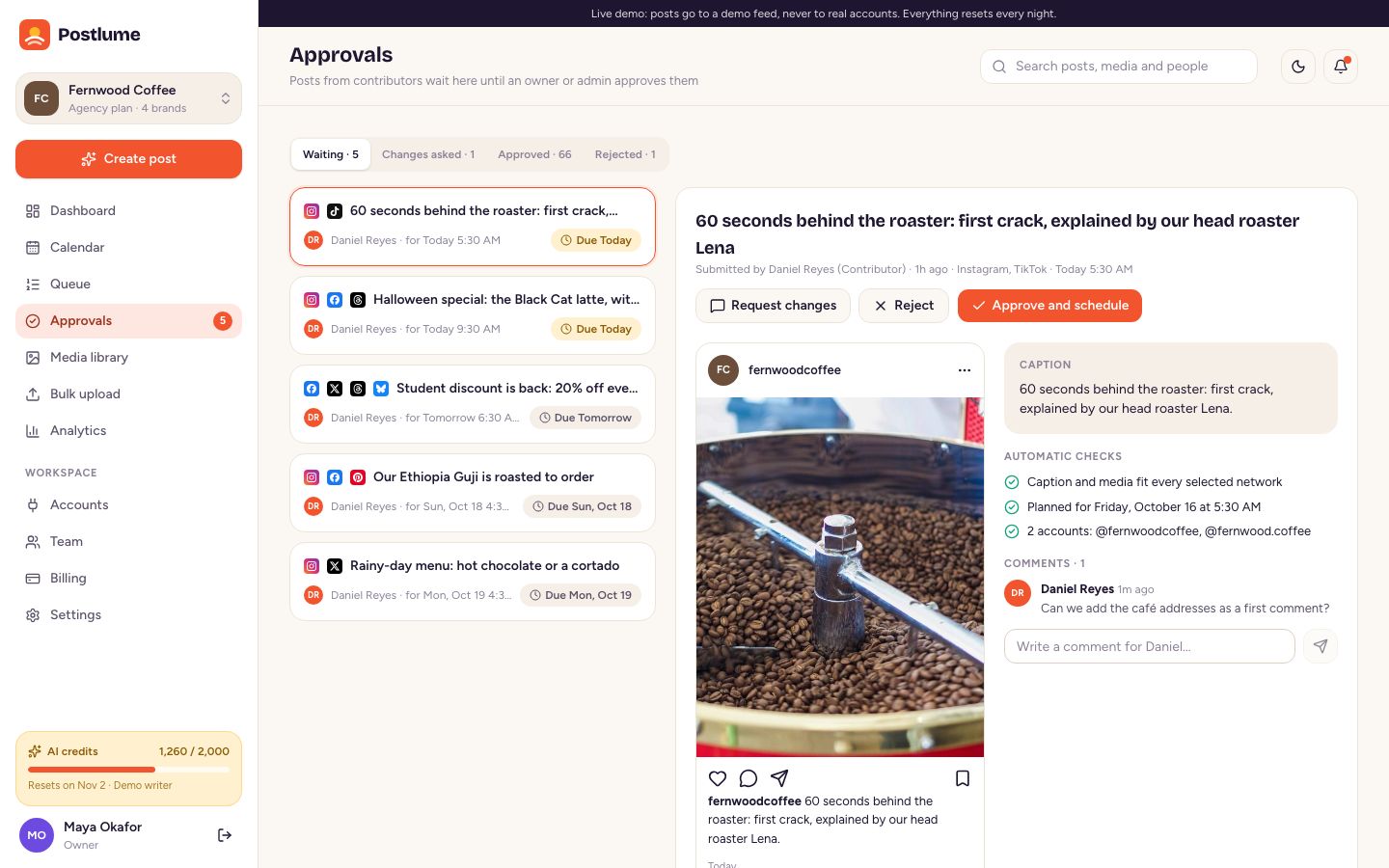
- Approvals: contributors send posts for approval; owners and admins approve, ask for changes or reject, with comments on every post.
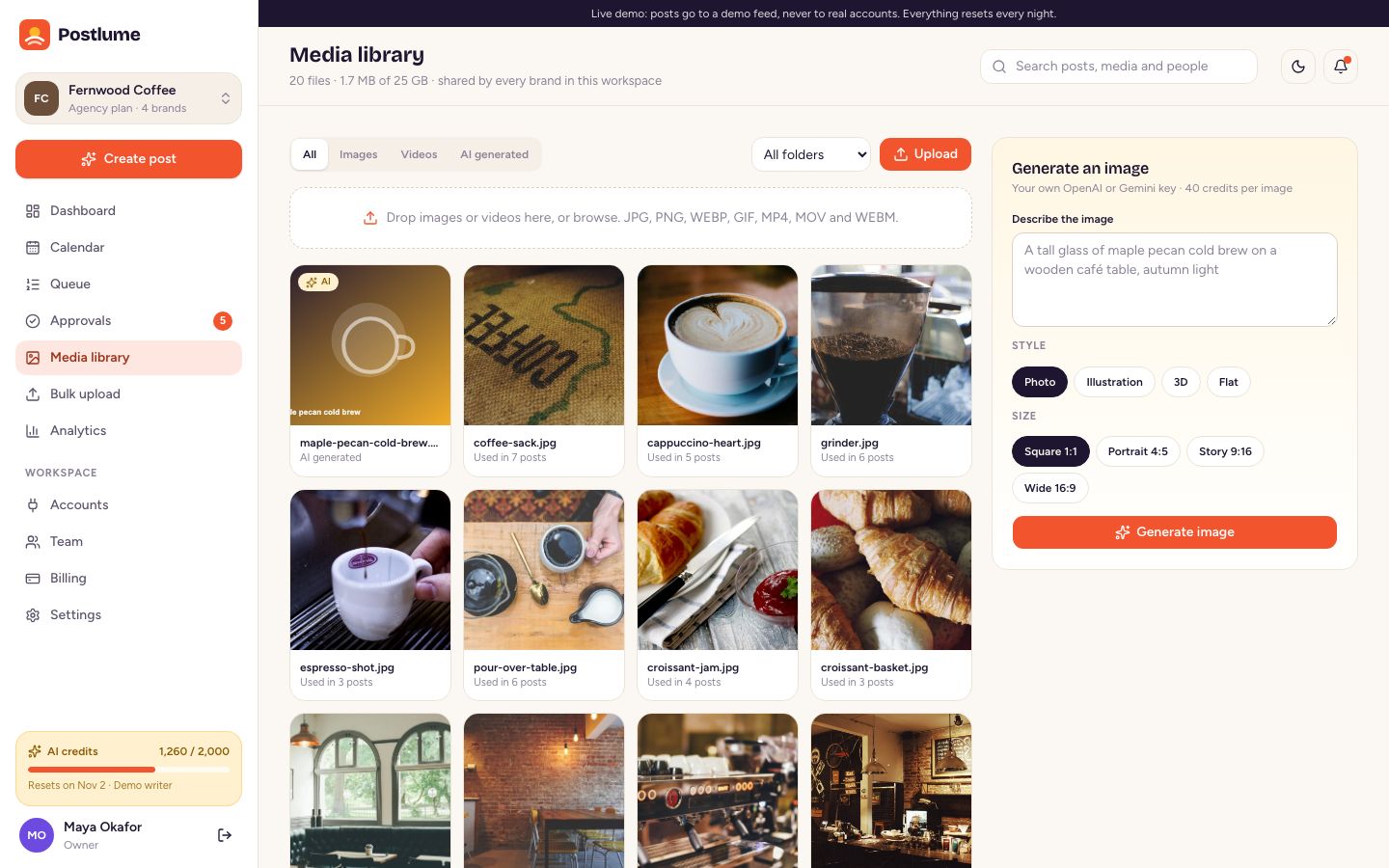
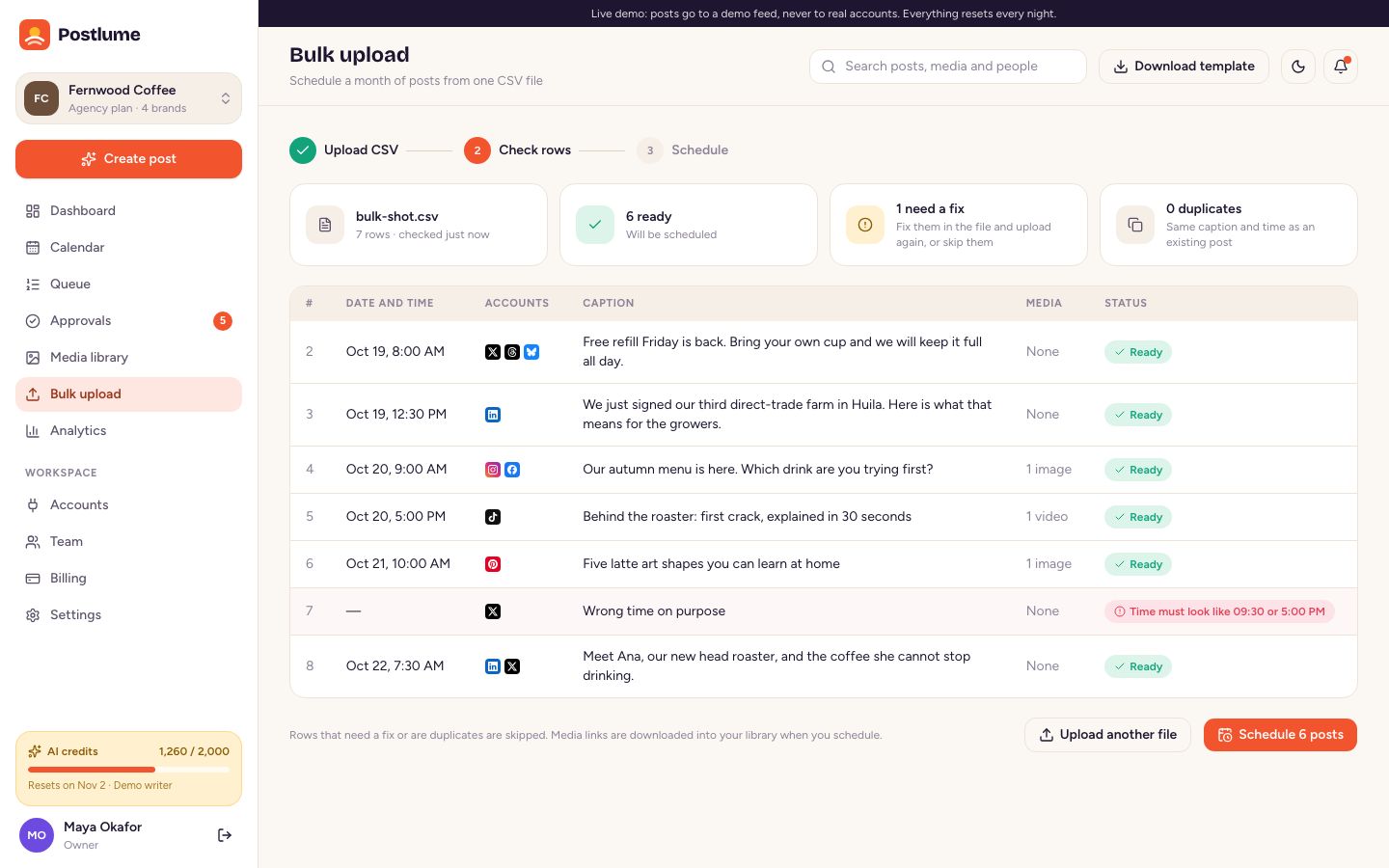
- Media library with AI images, bulk CSV upload with row checks, analytics with CSV export and best times to post.
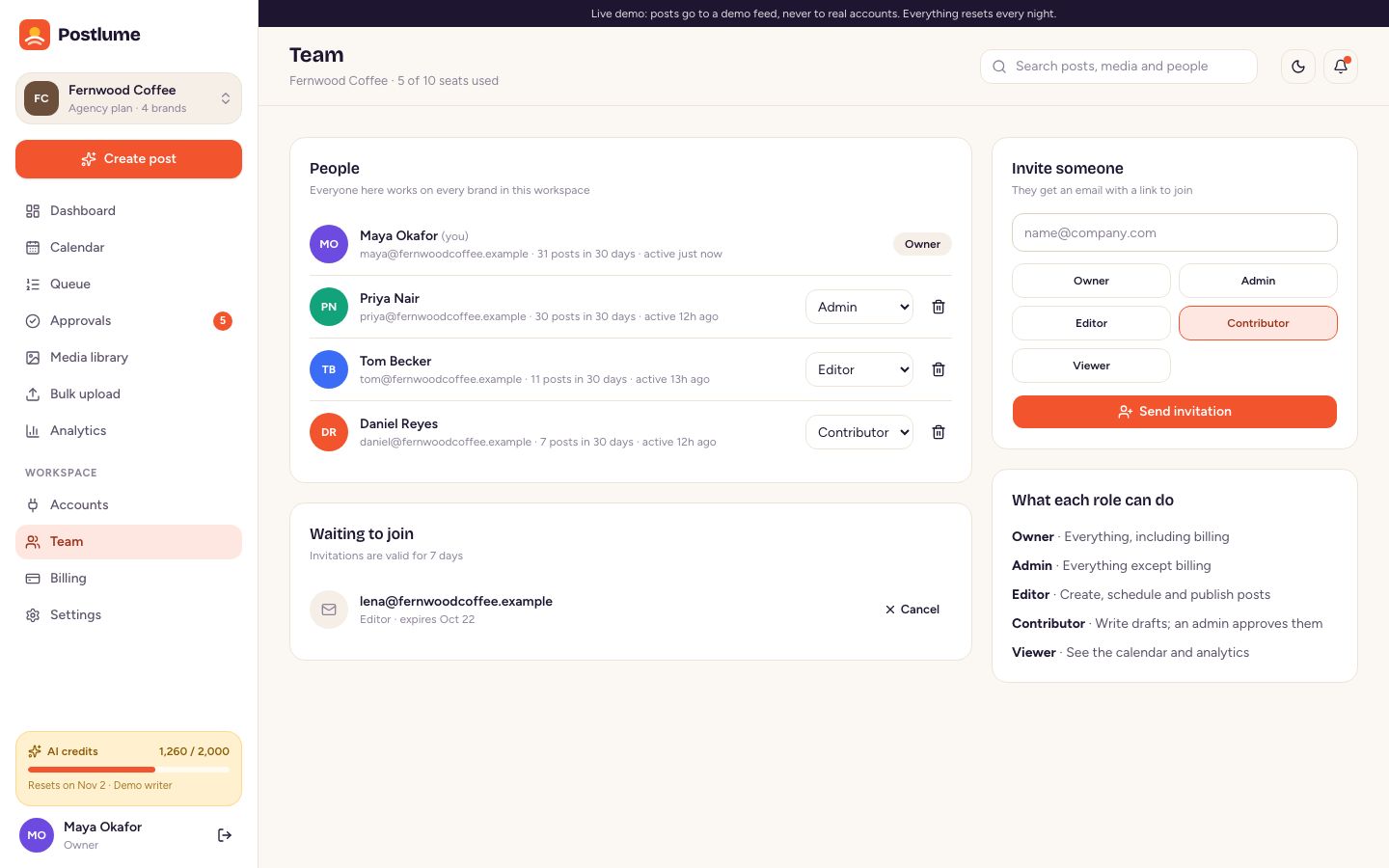
- Teams: workspaces, brands and five roles (Owner, Admin, Editor, Contributor, Viewer), invitations by email.
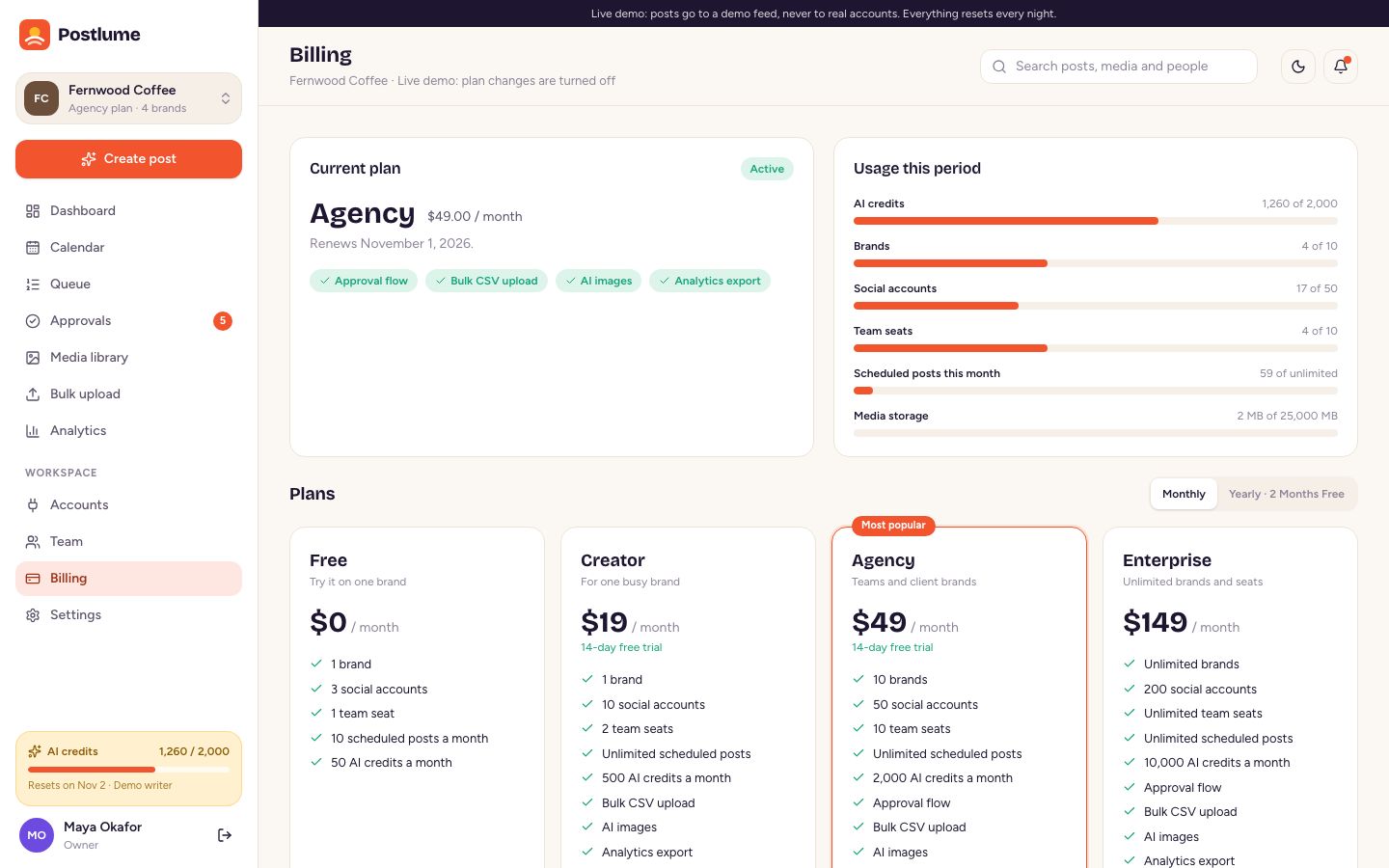
- SaaS billing: plans with limits (brands, accounts, seats, posts, AI credits, storage, features), Stripe Checkout and customer portal, and a demo checkout when Stripe is not set up.
- Admin panel: revenue and usage overview, users, workspaces, plans editor, payments, AI and network keys, setup check, branding and email test.
- Install wizard, sample data, light and dark mode, a landing page you can switch off, and a background worker that publishes on time and retries failures.
Screenshots
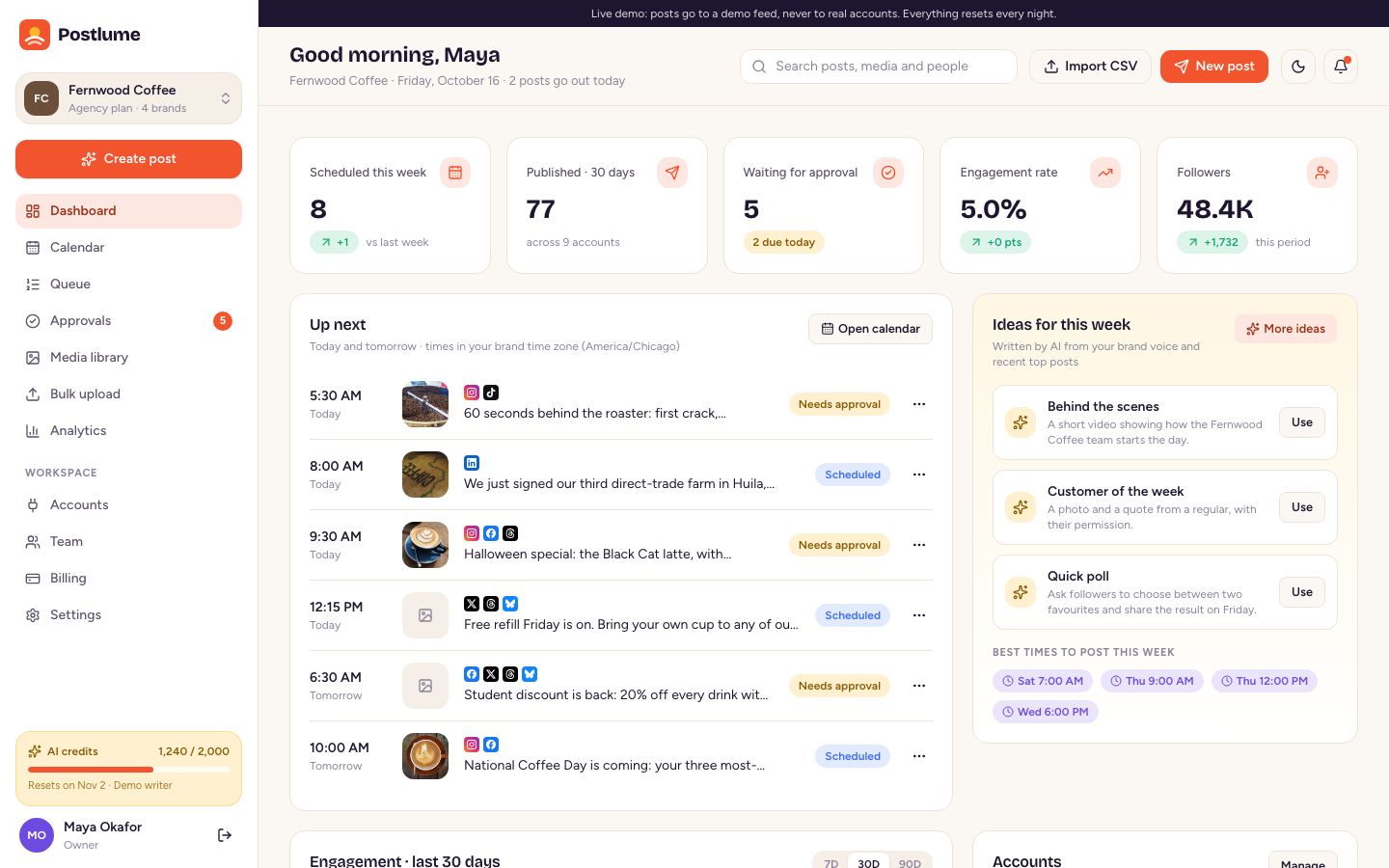
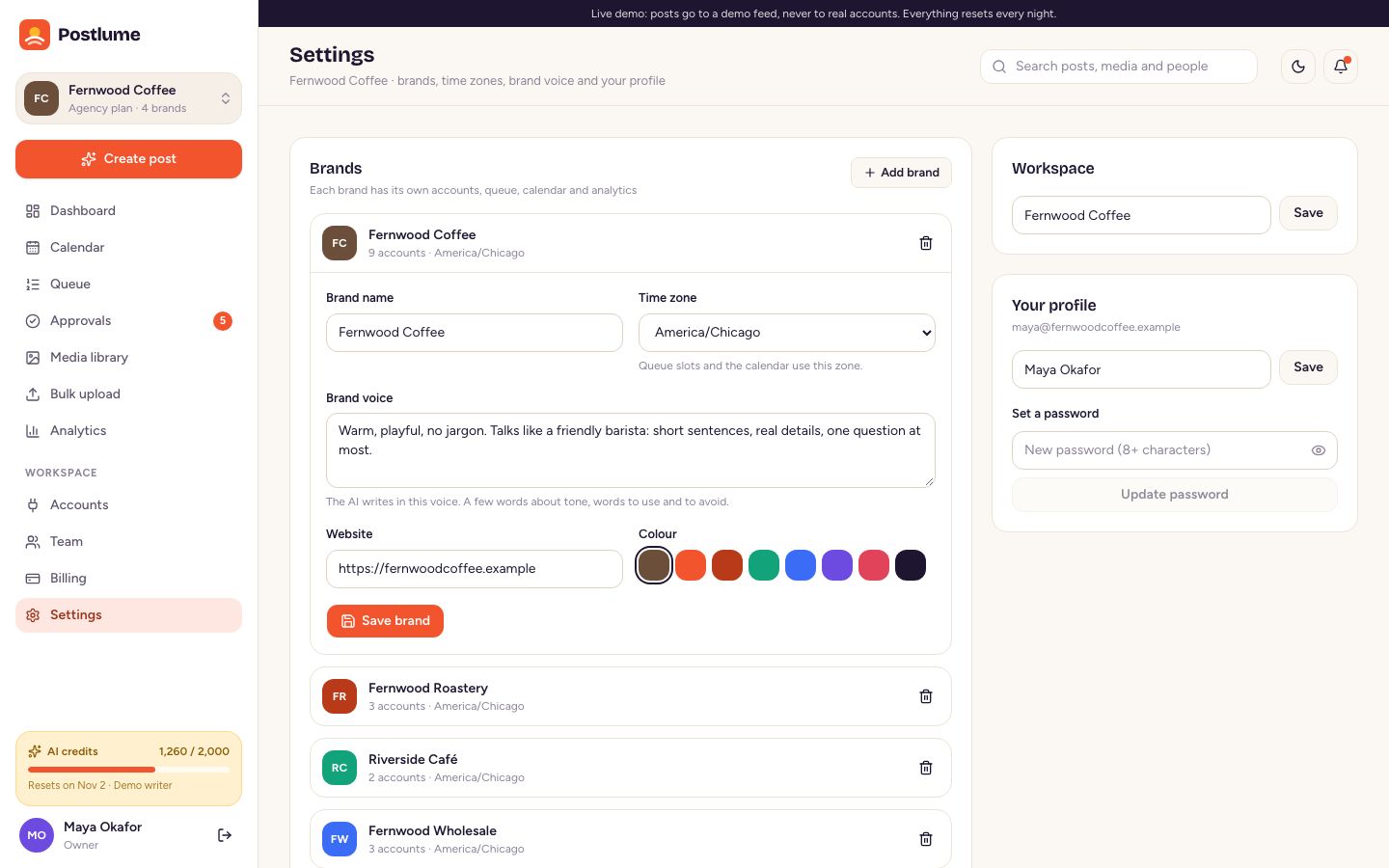
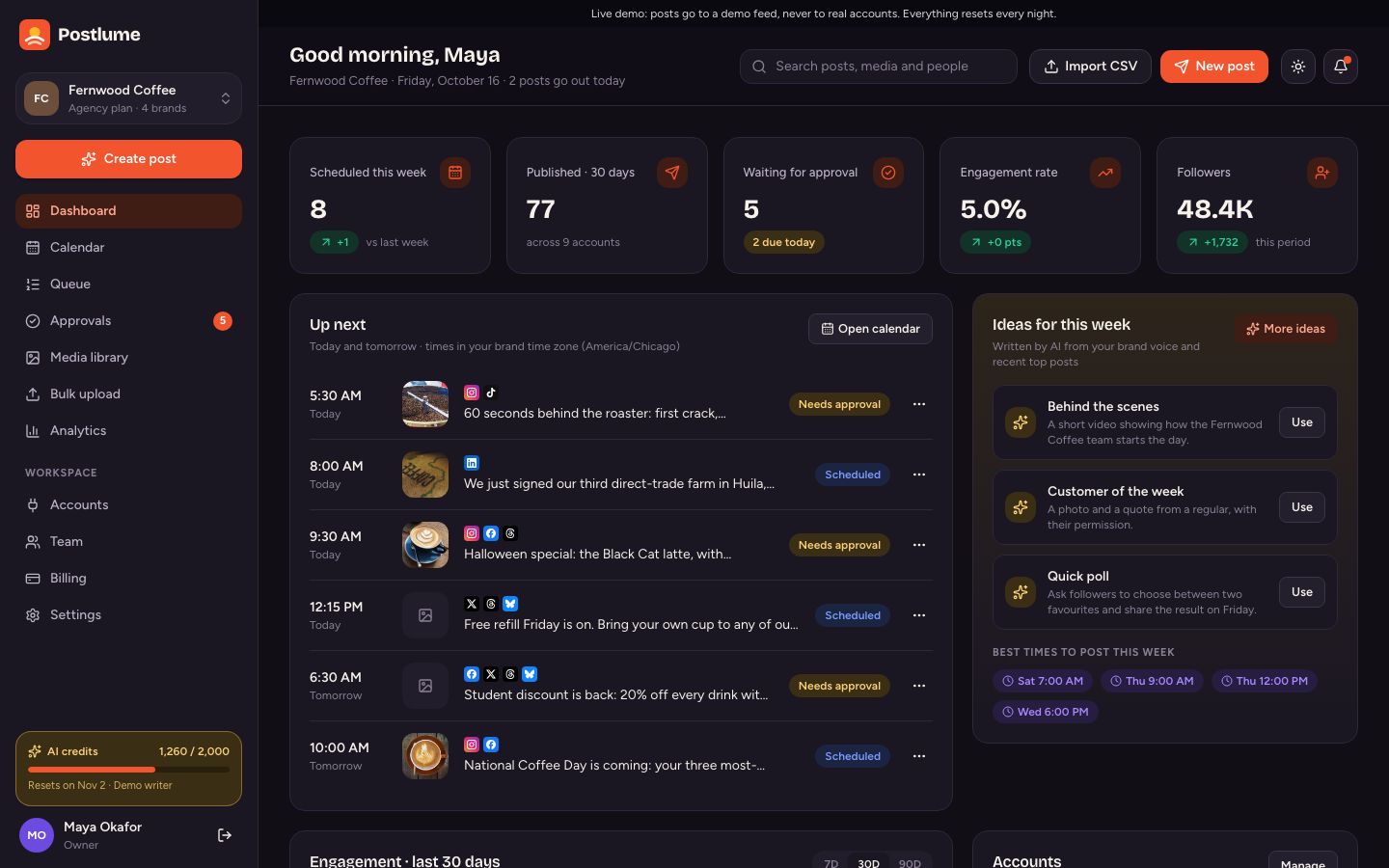
The app (what your customers use)
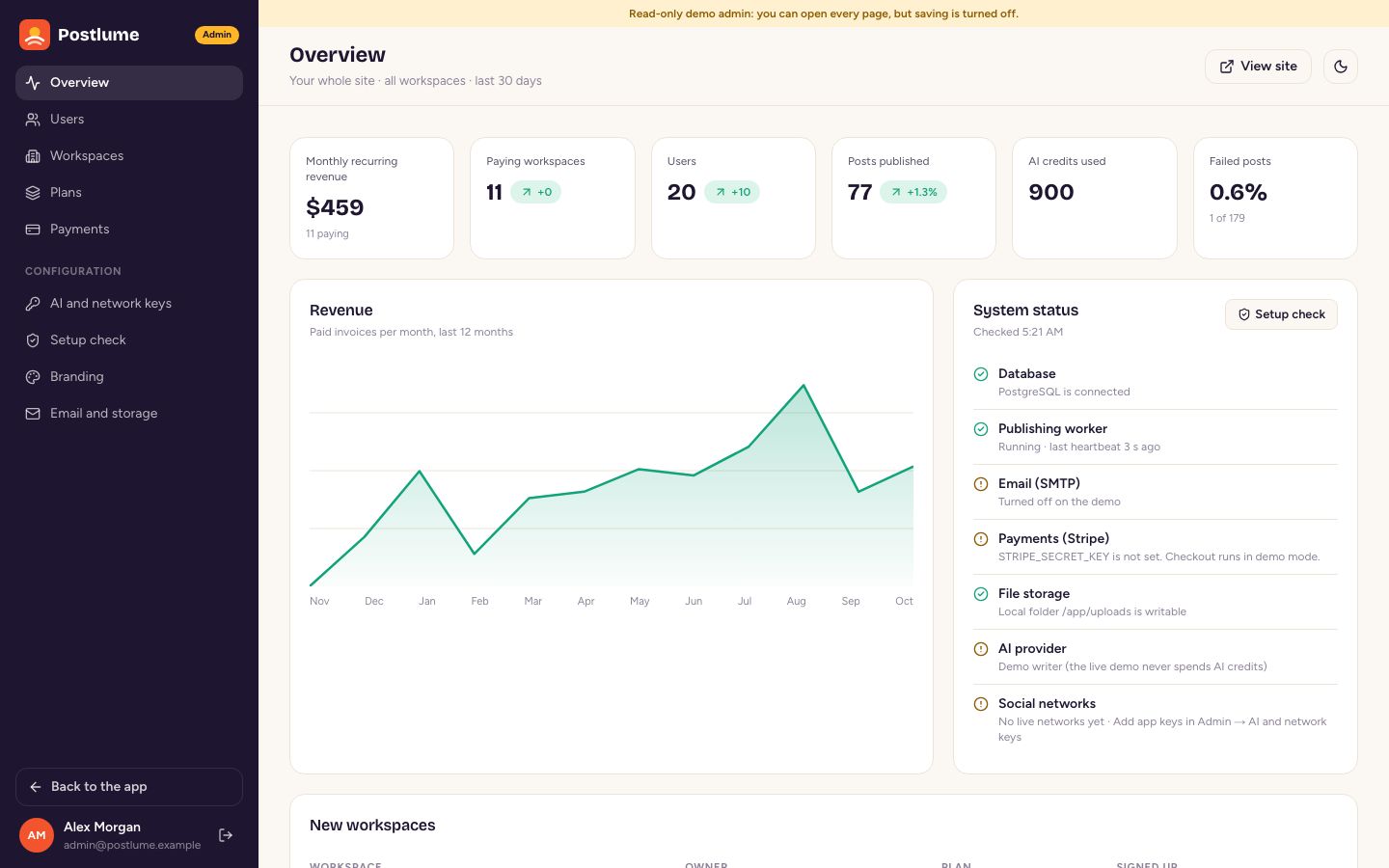
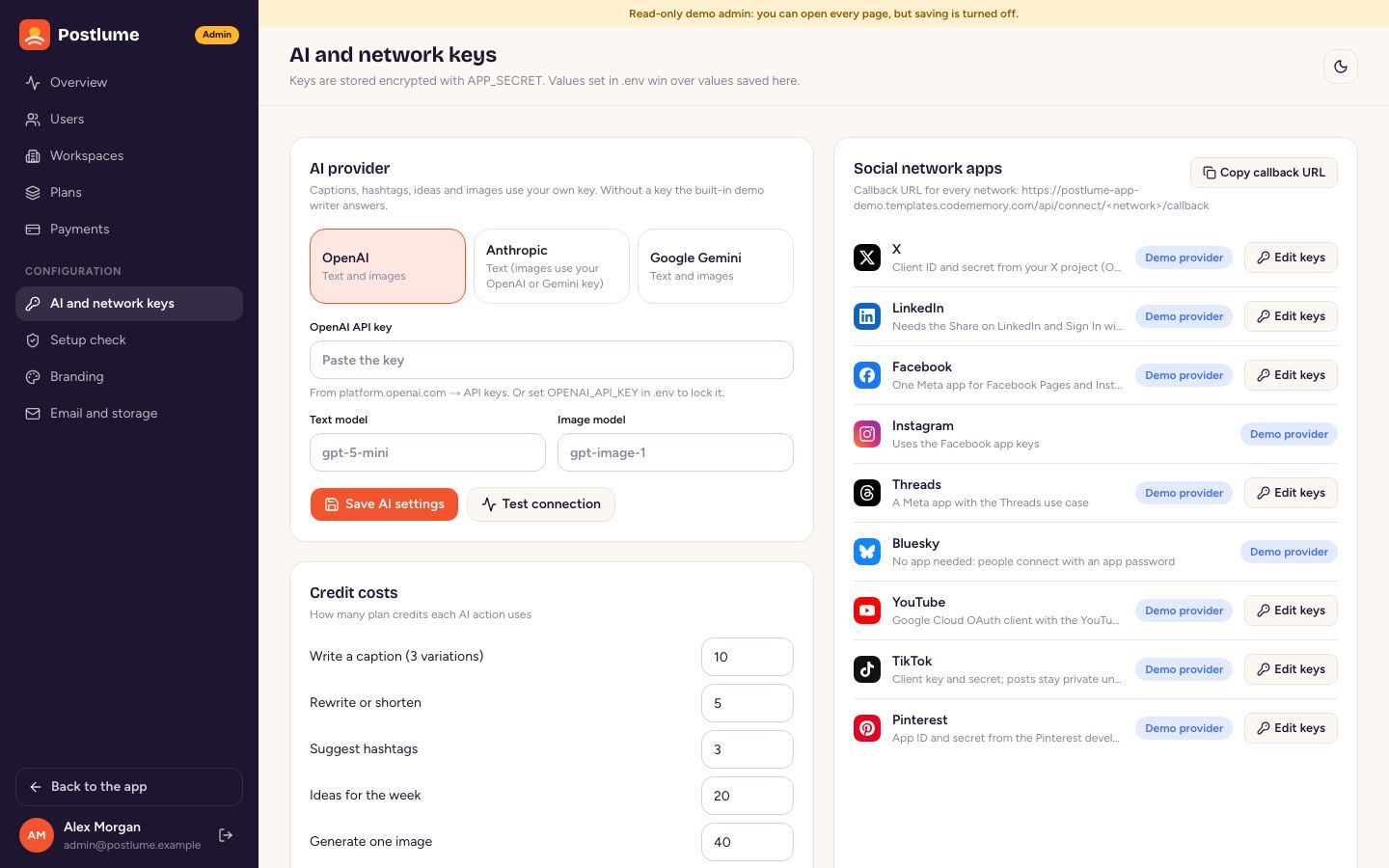
The admin panel (what you use)
Public pages
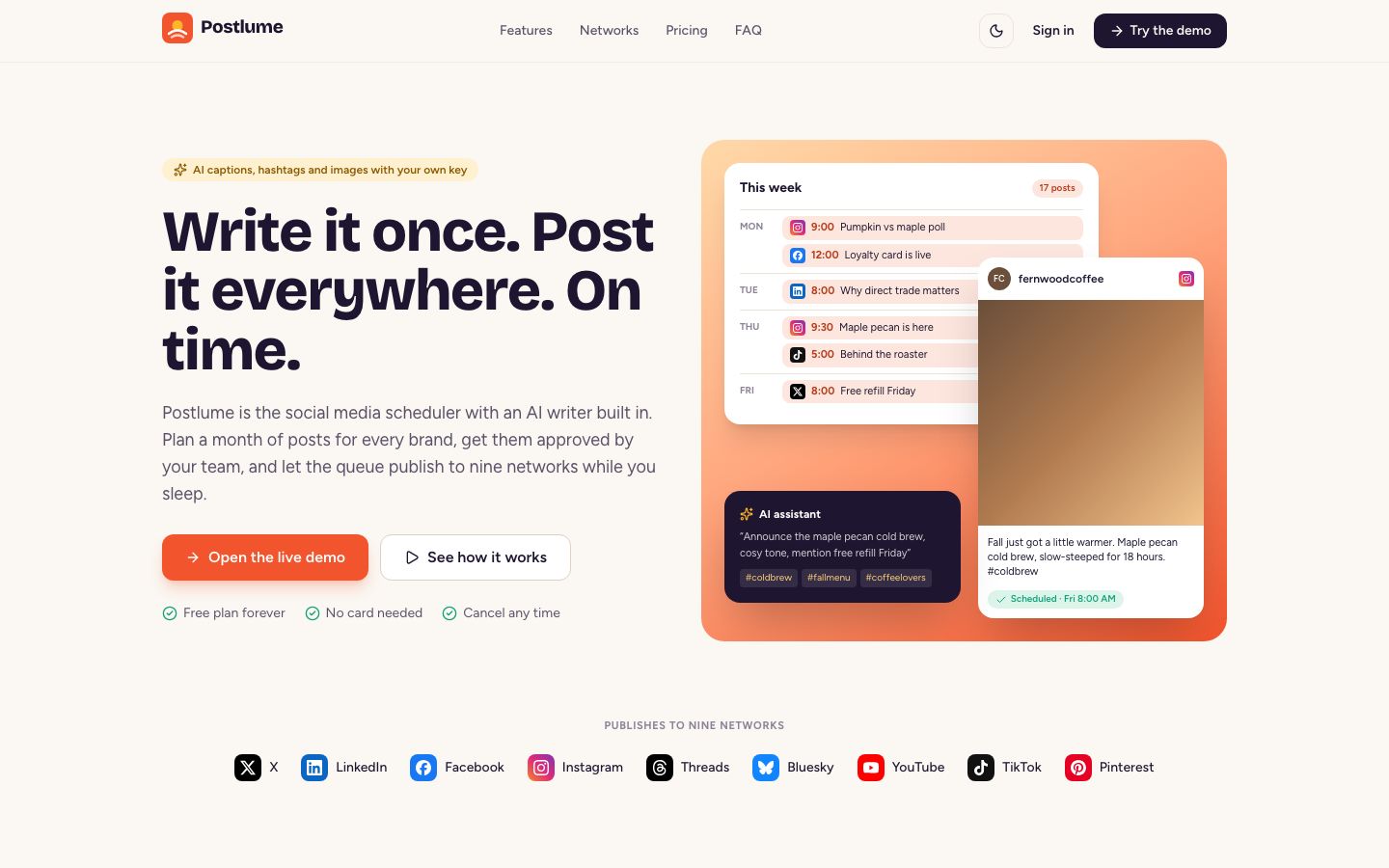
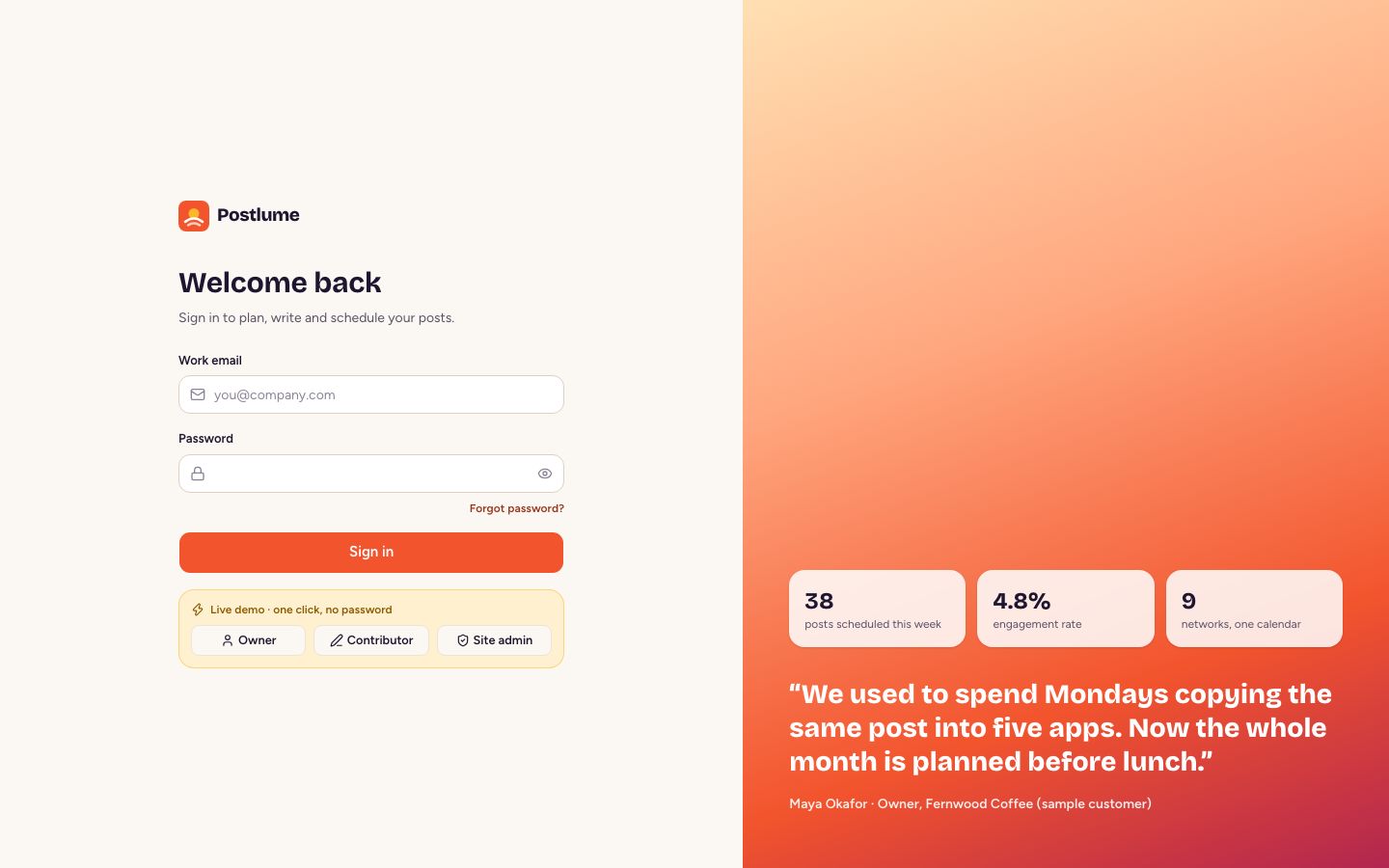
The screenshots come from our live demo, which runs in demo mode: the banner at the top and the one-click demo sign-in only appear in demo mode, never on your site.
2. Requirements
- Easiest: any Linux server (VPS) with Docker 24+ and Docker Compose v2, 2 GB of memory and 10 GB of disk. Docker installs PostgreSQL, the website and the worker for you.
- Without Docker: Node.js 22 or newer, pnpm 10 or newer, and PostgreSQL 14 or newer (16 recommended).
- A domain with HTTPS before you connect real social accounts: every network sends people back to an HTTPS address on your domain. Everything else (the demo provider, the AI writer, billing in demo mode) works on
http://localhost. - Optional: an SMTP account for email, a Stripe account for payments, an AI key, and an S3-compatible bucket for media.
Third-party services
Postlume talks to the services below only when you add their keys. Each provider has its own pricing tiers, limits and terms, and you (the buyer) are responsible for any costs and for following each provider's rules. Prices change; check each provider's own pricing page before you launch.
| Service | Used for | Where to get keys | Cost notes |
|---|---|---|---|
| X (Twitter) API | Posting to X, follower counts | developer.x.com | X sells API access in tiers; posting volume depends on your tier. Some tiers are paid. |
| Posting to LinkedIn profiles | linkedin.com/developers | Own terms and rate limits. | |
| Meta (Facebook, Instagram, Threads) | Pages, Instagram business accounts, Threads | developers.facebook.com | App review needed before other people can connect. |
| Google (YouTube, Google sign-in) | YouTube uploads, “Continue with Google” | console.cloud.google.com | YouTube Data API has a daily quota; more quota needs an audit. |
| TikTok | Video and photo posts | developers.tiktok.com | Posts are private until TikTok audits your app. |
| Pins | developers.pinterest.com | Trial access first, standard access after review. | |
| Bluesky | Posts (users connect with an app password) | No keys needed | Own terms and rate limits. |
| OpenAI, Anthropic, Google Gemini | AI captions, rewrites, hashtags, ideas, images | OpenAI, Anthropic, Google AI Studio | Billed per use by the provider. Plan credits in Postlume limit how much each customer can use. |
| Stripe | Subscriptions, checkout, customer portal | dashboard.stripe.com | Stripe charges a fee per payment. |
| SMTP provider (any) | Invites, approvals, password resets | Your email provider | Own pricing. |
| S3-compatible storage (optional) | Media files | AWS S3, Cloudflare R2, Backblaze B2, MinIO | Own pricing. Not needed: files can stay on your server. |
| Hosting | Your server and domain | Any VPS provider | Own pricing. |
Fonts: the fonts are downloaded once when the site is built and then served from your own server, so visitors' browsers never contact Google Fonts.
3. Quick start (Docker)
- Unzip the download and open a terminal in the
postlumefolder. - Copy the settings file:
cp .env.example .env - Open
.envin a text editor and fill in three values:APP_URL: the address you will open, for a test on your computerhttp://localhost:3000.APP_SECRET: a long random string. Make one withopenssl rand -hex 32. Never change it later.POSTGRES_PASSWORD: any password of letters and digits.
- Start everything:
The first start builds the images and takes a few minutes. Docker then starts PostgreSQL, runs the database migrations, starts the website and the worker.docker compose up -d - Open
APP_URLin your browser. The install wizard opens (next section).
Check that everything runs: docker compose ps shows web and worker as running and migrate as exited with code 0. Logs: docker compose logs -f web worker.
4. Install wizard and sample data
The first visit opens /install. It has five short steps:
- Check: confirms the database is reachable and up to date.
- Your admin account: name, email and password of the site owner (you).
- Your site: product name, tagline and support email. You can change them later in Admin → Branding.
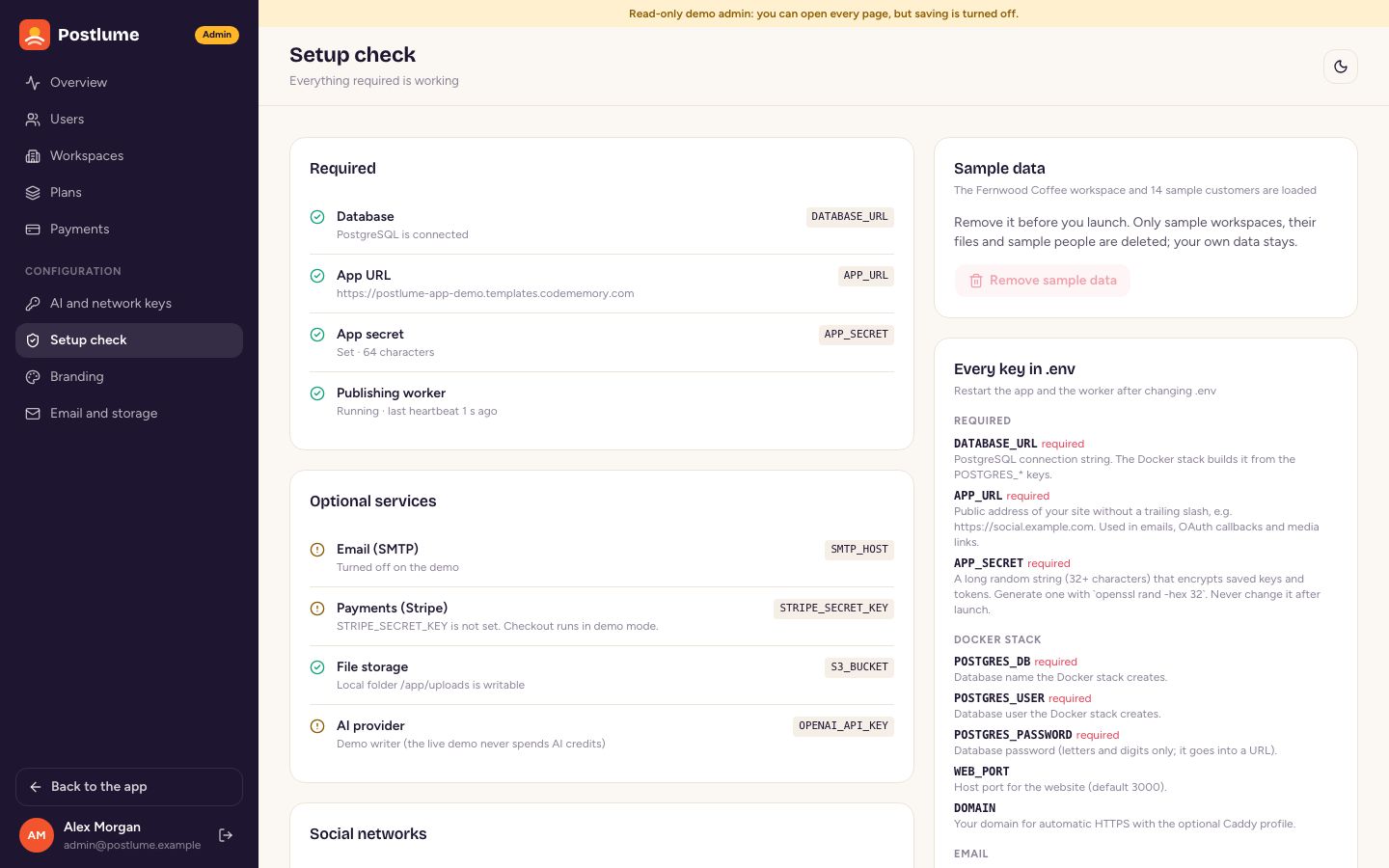
- Sample data: load the “Fernwood Coffee” sample workspace (four brands, nine demo accounts, two months of posts, approvals and numbers) so every page has content while you explore. Remove it any time in Admin → Setup check → Remove sample data.
- Done: go to the admin panel or the app.
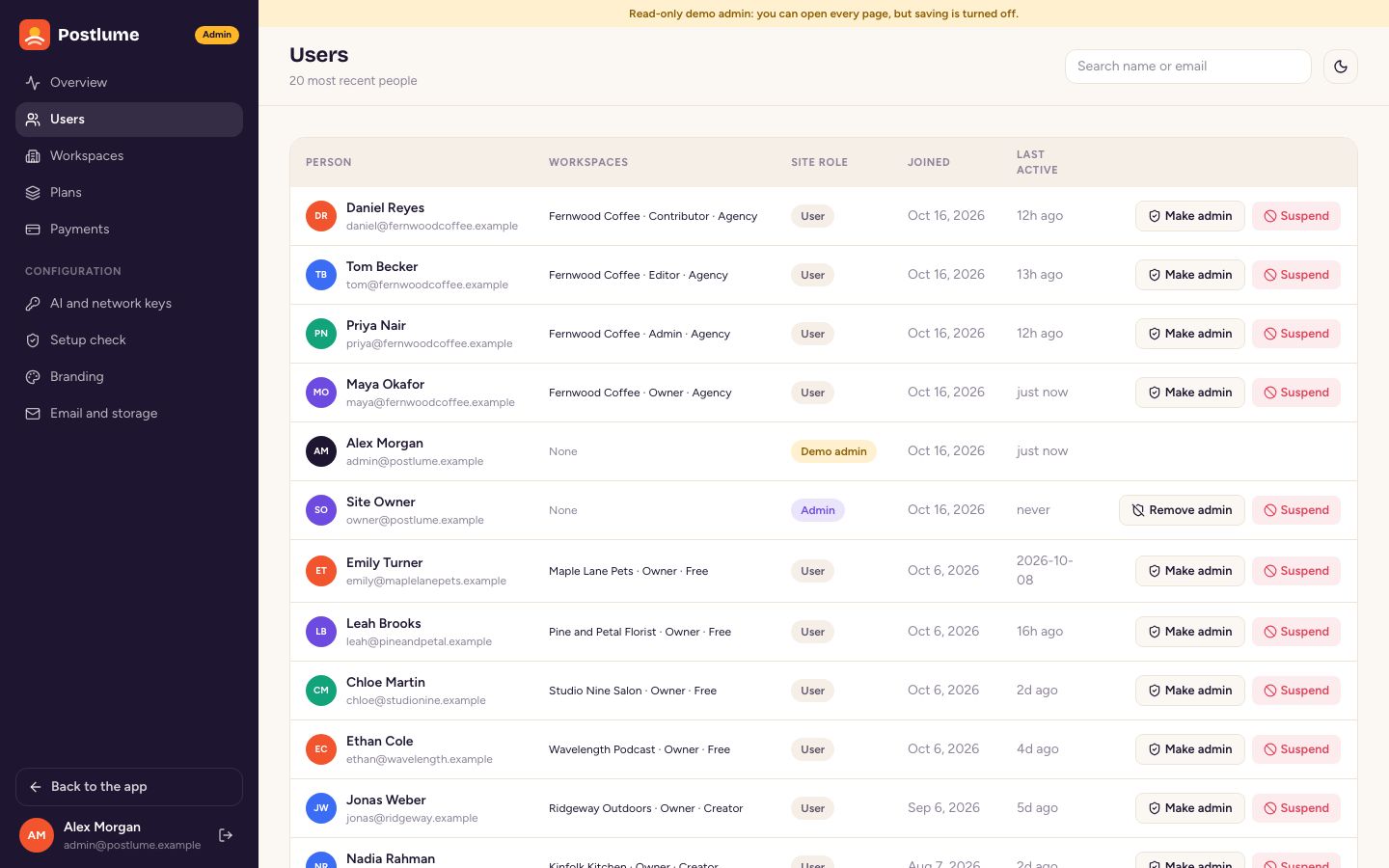
The wizard locks itself once an admin exists. A second admin can be added later by changing a user's role in Admin → Users.
5. Put it online (VPS, HTTPS)
- Point your domain (for example
social.example.com) to the server's IP address with an A record. - Copy the
postlumefolder to the server (for example withscporgit), then fill in.envas in the quick start, withAPP_URL=https://social.example.comandDOMAIN=social.example.com. - Open ports 80 and 443 on the server's firewall.
- Start with the HTTPS profile:
Caddy gets a free Let's Encrypt certificate fordocker compose --profile https up -dDOMAINand forwards traffic to the website.
Already run Traefik, Nginx or another proxy? Skip the HTTPS profile and forward your domain to port WEB_PORT (default 3000) on the server.
6. Other hosting
Without Docker (Node.js)
cd postlume
cp .env.example .env          # set DATABASE_URL, APP_URL and APP_SECRET
pnpm install
pnpm prisma:migrate:deploy    # creates the tables
pnpm prisma:seed              # plans and default settings
pnpm build
pnpm start                    # the website on port 3000
pnpm worker                   # in a second terminal: publishes scheduled posts
Keep pnpm start and pnpm worker running with a process manager such as systemd or pm2 (pm2 start "pnpm start" --name postlume-web, pm2 start "pnpm worker" --name postlume-worker).
Vercel and other serverless hosts
The website runs on Vercel with a managed PostgreSQL database (Neon, Supabase, Railway, …) and an S3 bucket for media (serverless hosts have no lasting disk). The worker must run somewhere that stays on, for example a small VPS or a Railway or Render worker with the same .env, because scheduled posts are published by it, not by the website.
7. Setup check
Admin → Setup check lists every part of the site with a green, amber or red mark: database, app address, app secret, the worker's last heartbeat, email, payments, file storage, AI and each social network. It also lists every key from .env with a short explanation. Run pnpm run doctor (or docker compose run --rm worker node_modules/.bin/tsx --conditions=react-server src/scripts/doctor.ts) for the same check in a terminal.
8. Connect social networks
Each network needs an “app” that you create once in that network's developer portal. Your customers then click Connect an account and sign in on the network; they never see your keys.
- Where the keys go: in
.env(for exampleX_CLIENT_IDandX_CLIENT_SECRET) or in Admin → AI and network keys. Keys saved in the admin are encrypted withAPP_SECRET. A key set in.envwins and is shown as locked. - The redirect (callback) URL for every network is
<APP_URL>/api/connect/<network>/callback, for examplehttps://social.example.com/api/connect/linkedin/callback. The keys page has a button that copies it. - No keys yet? That network uses the demo provider: “Connect” adds a sample account at once, and its posts appear in the app's Demo feed page instead of the real network. Remove the demo account after adding real keys.
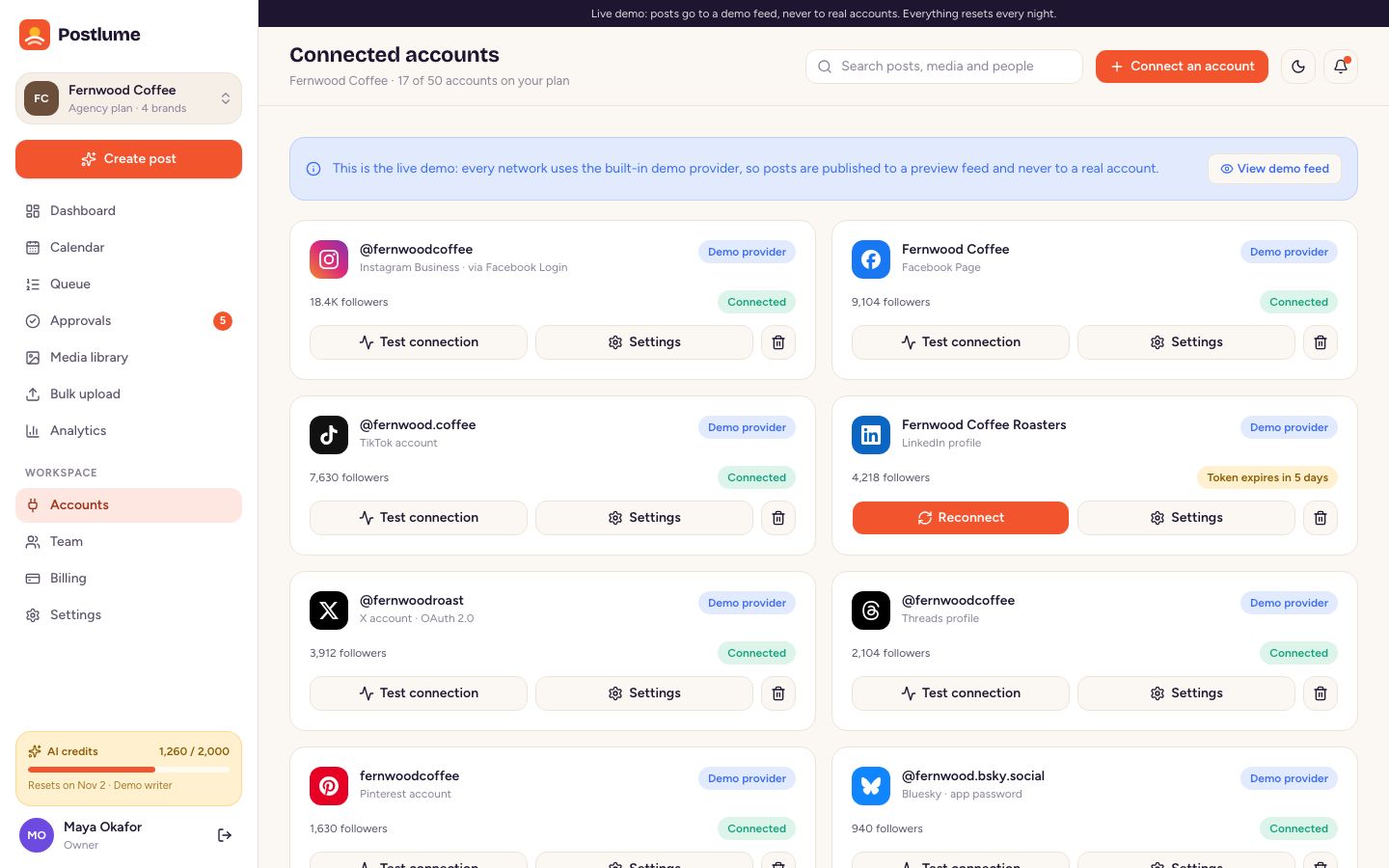
- Test connection on the Accounts page checks a connected account; a token that expired shows a Reconnect button.
X (Twitter)
- Open the X developer portal, create a project and an app.
- In User authentication settings choose OAuth 2.0, type “Web App”, permissions Read and write.
- Callback URL:
<APP_URL>/api/connect/x/callback. Website: yourAPP_URL. - Copy the OAuth 2.0 Client ID and Client Secret into
X_CLIENT_IDandX_CLIENT_SECRET.
Scopes used: tweet.read tweet.write users.read media.write offline.access. Posting volume depends on your X API tier.
- Create an app at linkedin.com/developers/apps (it must be linked to a LinkedIn Page).
- Under Products, add Sign In with LinkedIn using OpenID Connect and Share on LinkedIn.
- Under Auth, add the redirect URL
<APP_URL>/api/connect/linkedin/callback. - Copy the Client ID and Primary Client Secret into
LINKEDIN_CLIENT_IDandLINKEDIN_CLIENT_SECRET.
Scopes used: openid profile w_member_social (posts to the member's own profile).
Facebook Pages and Instagram
- Create a Business app at developers.facebook.com/apps.
- Add Facebook Login for Business and, for Instagram, the Instagram product (Instagram API with Facebook Login).
- In Facebook Login → Settings, add both redirect URIs:
<APP_URL>/api/connect/facebook/callbackand<APP_URL>/api/connect/instagram/callback. - Copy the App ID and App Secret into
FACEBOOK_CLIENT_IDandFACEBOOK_CLIENT_SECRET. Instagram uses the same keys. - Before other people can connect, submit the app for App Review with these permissions:
pages_show_list,pages_manage_posts,pages_read_engagement,business_management,instagram_basic,instagram_content_publish.
Instagram accounts must be business or creator accounts linked to a Facebook Page. Instagram needs an image or a video on every post; Postlume checks this before scheduling. Media must be reachable from the internet at APP_URL, so Instagram only works on a public HTTPS address.
Threads
- In the Meta developer portal create an app with the Access the Threads API use case.
- Add the redirect URI
<APP_URL>/api/connect/threads/callback. - Copy the Threads app ID and secret into
THREADS_CLIENT_IDandTHREADS_CLIENT_SECRET.
Scopes used: threads_basic,threads_content_publish.
YouTube
- In Google Cloud Console create a project and enable the YouTube Data API v3.
- Set up the OAuth consent screen, then create an OAuth client ID of type “Web application”.
- Authorised redirect URI:
<APP_URL>/api/connect/youtube/callback. - Copy the client ID and secret into
YOUTUBE_CLIENT_IDandYOUTUBE_CLIENT_SECRET.
YouTube needs a video on every post (YouTube decides whether a short vertical video is shown as a Short). Scopes used: youtube.upload and youtube.readonly. Uploads count against the daily API quota; Google's verification is needed before the public can connect.
TikTok
- Create an app at developers.tiktok.com and add Login Kit and Content Posting API (Direct Post).
- Redirect URI:
<APP_URL>/api/connect/tiktok/callback. Verify your domain for “pull from URL” media. - Copy the client key and client secret into
TIKTOK_CLIENT_IDandTIKTOK_CLIENT_SECRET.
Until TikTok audits your app, posts can only be private: keep TIKTOK_PRIVACY=SELF_ONLY, then change it to PUBLIC_TO_EVERYONE. TikTok posts need a video or photos.
- Create an app at developers.pinterest.com/apps.
- Redirect URI:
<APP_URL>/api/connect/pinterest/callback. - Copy the App ID and secret into
PINTEREST_CLIENT_IDandPINTEREST_CLIENT_SECRET.
Pins go to the account's first board unless a board is chosen in the account settings. Scopes used: boards:read,pins:read,pins:write,user_accounts:read. Pins need an image or a video.
Bluesky
No app keys. Your customers connect with their handle and an app password (Bluesky → Settings → Privacy and security → App passwords). Postlume never asks for their main password. BLUESKY_SERVICE changes the server only for self-hosted Bluesky servers.
What Postlume does and does not do on the networks
- Each network publishes on its own: if one fails, the others still go out. A failed network is retried three times, five minutes apart, then the post shows as failed or partly failed with the network's own error message, and a Retry button.
- Deleting a post in Postlume does not delete it from the networks. Remove published posts on the network itself.
- Analytics numbers come from each network's API where it shares them with apps: follower counts for X, Facebook, Instagram, YouTube, TikTok, Pinterest and Bluesky (LinkedIn profiles and Threads do not share them), and post numbers where the API allows. Demo accounts show sample numbers.
9. AI writer and images
Pick the provider in Admin → AI and network keys (or AI_PROVIDER) and add its key. Without a key, the built-in demo writer fills captions from simple templates so every button works.
| Provider | Captions, rewrites, hashtags, ideas | Images | Default models |
|---|---|---|---|
| OpenAI | Yes | Yes | gpt-5-mini, gpt-image-1 |
| Anthropic | Yes | Uses the OpenAI or Gemini key if one is set | claude-opus-5-5 |
| Google Gemini | Yes | Yes | gemini-2.5-flash, gemini-2.5-flash-image |
Change the models in the admin or with AI_TEXT_MODEL and AI_IMAGE_MODEL. Credits: every AI action costs credits (default: caption 10, rewrite 5, hashtags 3, ideas 20, image 40), set in the admin. Each plan includes a monthly number of credits, which resets every billing month. Credits protect your AI bill: a customer cannot spend more than their plan allows.
10. Email
Set SMTP_HOST, SMTP_PORT, SMTP_USER, SMTP_PASS and MAIL_FROM with the details from any email provider (Postmark, SendGrid, Amazon SES, Mailgun, your host's mailbox). Without SMTP_HOST, emails (invitations, approval requests, password resets) are written to the server log so nothing is lost while you test. Admin → Email and storage → Send a test email checks the settings.
11. File storage
By default media files are stored on the server in the uploads folder (a Docker volume called uploads). To store them in a bucket, set S3_BUCKET, S3_ACCESS_KEY_ID, S3_SECRET_ACCESS_KEY, S3_REGION and, for Cloudflare R2, Backblaze B2 or MinIO, S3_ENDPOINT. Files are always served through the site (/api/files/…), so the bucket can stay private. Images are capped at 20 MB, videos at MAX_UPLOAD_MB (default 200).
12. Plans and payments (Stripe)
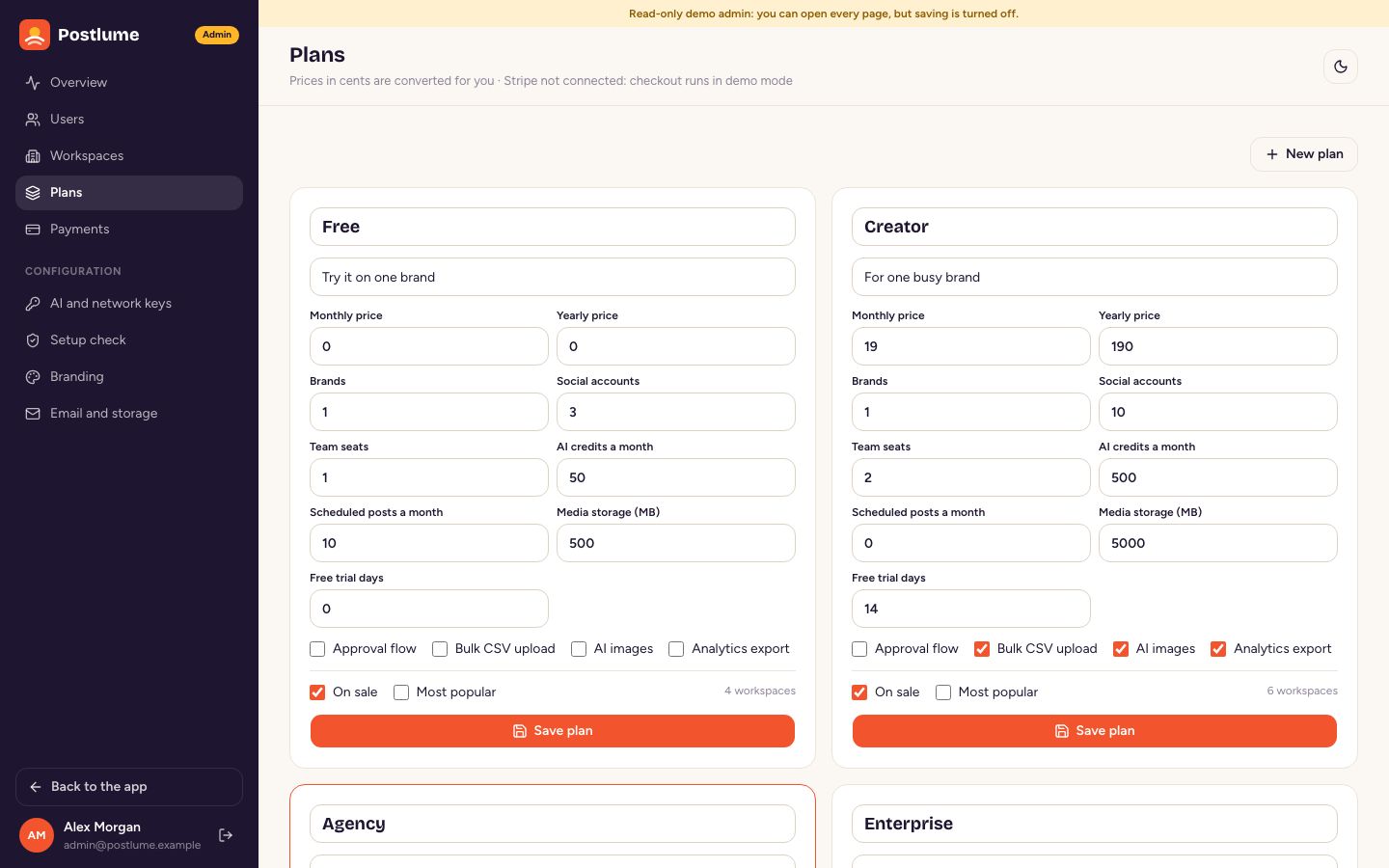
- Edit the plans in Admin → Plans: name, monthly and yearly price, trial days and limits (brands, accounts, seats, posts per month, AI credits, storage) and features (approval flow, bulk upload, AI images, analytics export). 0 means unlimited.
- Add
STRIPE_SECRET_KEY. Stripe prices are created automatically the first time a plan is sold, inCURRENCY. - In Stripe → Developers → Webhooks add the endpoint
<APP_URL>/api/stripe/webhookwith the eventscheckout.session.completed,invoice.paid,invoice.payment_failedandcustomer.subscription.deleted, then copy its signing secret intoSTRIPE_WEBHOOK_SECRET. - Turn on the customer portal in Stripe's billing settings so customers can change cards and cancel from the Billing page.
Without Stripe keys, Billing uses a demo checkout: choosing a plan switches it at once and records a demo payment, so you can try the whole flow.
Charging your customers for Postlume needs the Envato Extended licence (see Licence).
13. Using Postlume
Workspaces, brands and roles
Each customer gets a workspace (their team and their plan). A workspace holds brands; each brand has its own social accounts, time zone, brand voice for the AI, queue slots and calendar. The brand switcher sits at the top of the sidebar.
| Role | Can do |
|---|---|
| Owner | Everything, including billing. |
| Admin | Everything except billing: brands, accounts, team, approve posts. |
| Editor | Write, schedule and publish posts, manage media. |
| Contributor | Write posts and send them for approval; they never publish on their own. |
| Viewer | See the calendar, posts and analytics. |
Write and schedule a post
- Click Create post. Choose the accounts under Post to.
- Write the caption, or describe the post in one line in the AI assistant box, pick a tone and click Write caption: three variations appear; click one to use it. Shorter, Hashtags and Image work the same way.
- Open a network's tab (for example “X · customise”) to write a version just for that network. The counters and checks show what each network allows.
- Add media from the library or upload new files. Add a first comment if you like.
- Choose Next queue slot, Pick a time or Post now, then click the orange button. Contributors see Send for approval instead.
Queue and time slots
Each brand has weekly time slots (for example 8:00, 12:15 and 17:00 on weekdays) in its own time zone. Add to queue puts a post in the next free slot. Change slots with Edit on the Queue page. Pause queue stops publishing for that brand until you resume; posts wait. The Failed tab lists posts that could not be published, with the reason and a Retry button.
Calendar
Month, week and list views, filtered by network and status. Drag a post to another day to move it (the time of day stays). The week view can show open queue slots; click one to fill it.
Approvals
Posts sent for approval wait on the Approvals page with automatic checks (caption length, required media, planned time) and comments. Owners and admins click Approve and schedule, Request changes (with a note) or Reject. An approval that arrives after the planned time goes out in the next minute. The approval flow is a plan feature.
Bulk CSV upload
Upload a CSV file to schedule many posts at once. Download the template from the Bulk upload page. Columns (the header names matter, the order does not):
| Column | Required | Example | Notes |
|---|---|---|---|
date | Yes | 2026-11-02 | In the brand's time zone. |
time | Yes | 09:30 or 5:00 PM | |
accounts | No | instagram;facebook | Network names or handles, separated by ;. Empty = every connected account. |
caption | Yes | Our autumn menu is here. | Use quotes when the caption has commas or new lines. |
media_url | No | https://example.com/photo.jpg | Public image or video address; downloaded into the media library. |
first_comment | No | Menu link in bio |
Every row is checked before anything is scheduled: dates in the past, unknown accounts, captions that are too long, networks that need media, and duplicates of posts that already exist. Only ready rows are scheduled (or sent for approval for contributors). Up to 500 rows per file.
Analytics
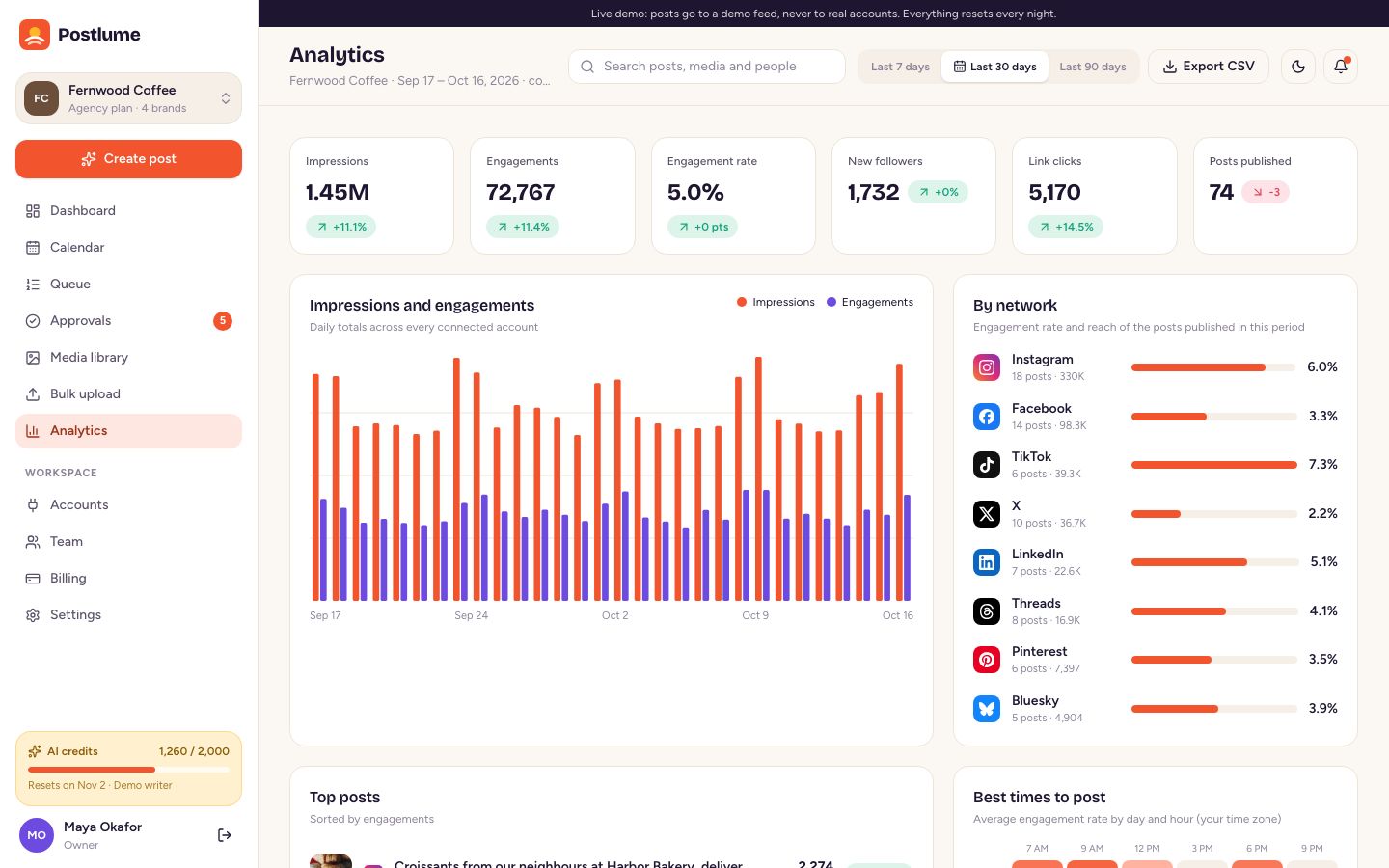
Impressions, engagements, engagement rate, follower growth and clicks for 7, 30 or 90 days, numbers per network, top posts and a heat map of the best times to post. Export CSV downloads the numbers (a plan feature).
Media library
Upload JPG, PNG, WEBP, GIF, MP4, MOV and WEBM files, or create AI images in four sizes (square, portrait, story, wide). Storage per workspace is a plan limit.
14. The admin panel
Open it from the user menu or at /admin (site admins only).
- Overview: monthly recurring revenue, paying workspaces, users, posts published, AI credits used, failed posts and the system status.
- Users: search, make a user a site admin, suspend or restore.
- Workspaces: every customer with plan, brands, accounts and usage; change a plan by hand.
- Plans: the plans editor (see Plans and payments).
- Payments: every payment from Stripe or the demo checkout.
- AI and network keys: AI provider, keys, models and credit costs; app keys for each network.
- Setup check: see Setup check; also Remove sample data.
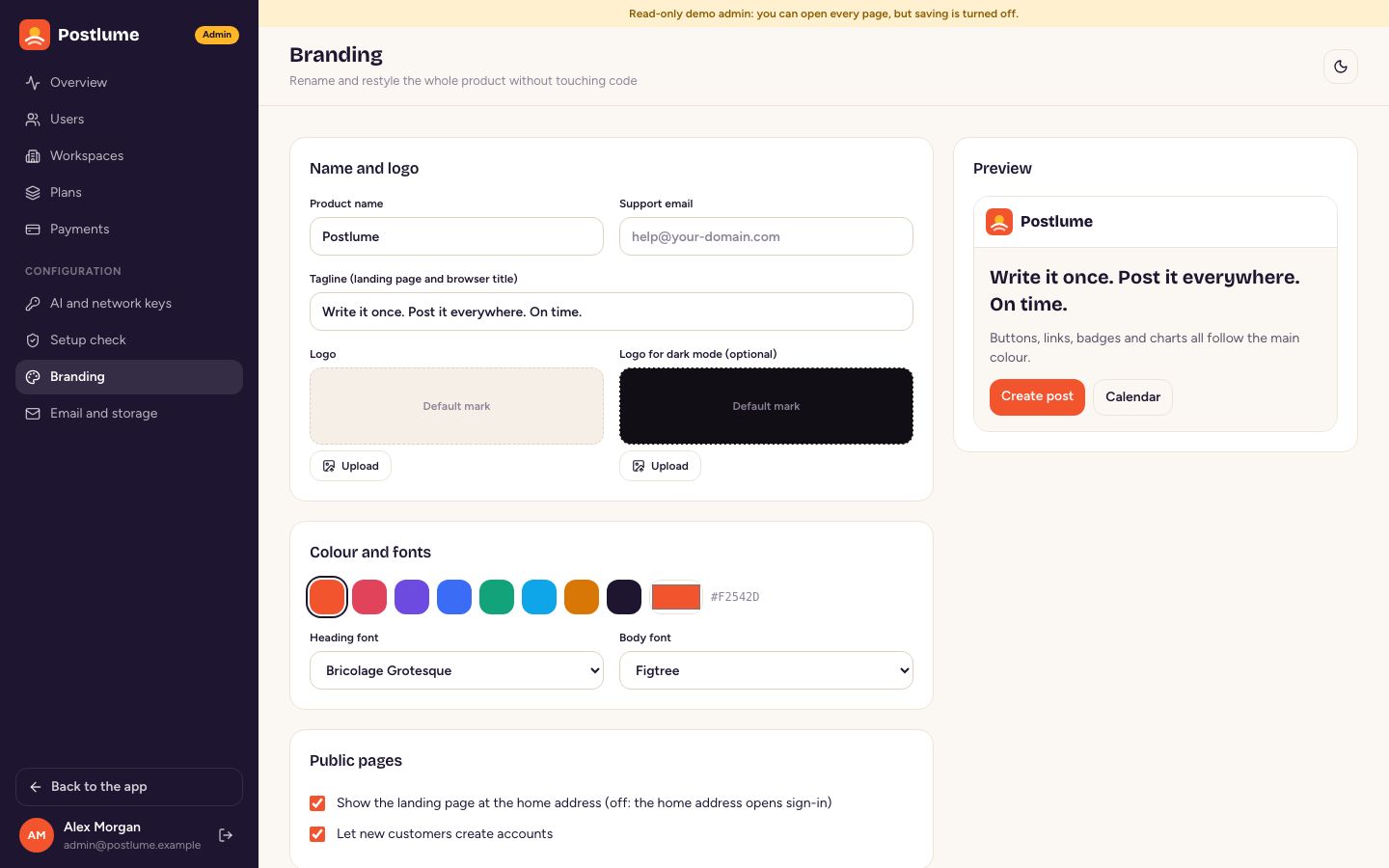
- Branding: see the next section.
- Email and storage: the current settings and a test email.
15. Rebrand: name, logo, colours, fonts
Admin → Branding changes the whole site without touching code: product name, tagline, support email, logo for light and dark mode, the brand colour, the heading and body fonts (Bricolage Grotesque, Figtree, Inter, DM Sans, Manrope, Space Grotesk, Fraunces), and whether the public landing page is shown (off = visitors go straight to Sign in). NEXT_PUBLIC_APP_NAME locks the name if you prefer to set it in .env.
For deeper changes, the colour tokens for light and dark mode live in src/app/globals.css, the landing page in src/app/page.tsx and src/components/landing/, and the favicon in public/icon.svg.
16. The worker
The worker is a small background process (pnpm worker, the worker container). It:
- publishes posts whose time has come, every
WORKER_INTERVAL_SECONDS(default 15), and retries failures; - refreshes network sign-ins that expire within three days, every hour;
- updates follower counts and post numbers every three hours;
- resets monthly AI credits when a workspace's billing month rolls over.
Only one worker does the work at a time (a database lock), so starting a second one by mistake is safe. If the worker stops, posts wait and are published when it starts again; Admin → Setup check shows when it last ran.
17. Every key, explained
All settings live in .env (copied from .env.example). Only the first three are required.
| Key | Required | What it does |
|---|---|---|
| Required | ||
DATABASE_URL | Yes | PostgreSQL connection string. The Docker stack builds it from the POSTGRES_* keys. |
APP_URL | Yes | Public address of your site without a trailing slash, e.g. https://social.example.com. Used in emails, OAuth callbacks and media links. |
APP_SECRET | Yes | A long random string (32+ characters) that encrypts saved keys and tokens. Generate one with openssl rand -hex 32. Never change it after launch. |
| Docker stack | ||
POSTGRES_DB | Yes | Database name the Docker stack creates. |
POSTGRES_USER | Yes | Database user the Docker stack creates. |
POSTGRES_PASSWORD | Yes | Database password (letters and digits only; it goes into a URL). |
WEB_PORT | - | Host port for the website (default 3000). |
DOMAIN | - | Your domain for automatic HTTPS with the optional Caddy profile. |
SMTP_HOST | - | SMTP server for invites, approvals and password resets. Empty = emails are written to the server log. |
SMTP_PORT | - | SMTP port, usually 587 (STARTTLS) or 465 (SSL). |
SMTP_USER | - | SMTP user name. |
SMTP_PASS | - | SMTP password or API key. |
SMTP_SECURE | - | "true" for SSL on port 465. Leave empty to decide from the port. |
MAIL_FROM | - | Sender, e.g. "Postlume <hello@example.com>". |
| File storage | ||
S3_BUCKET | - | S3-compatible bucket for media. Empty = the local uploads folder (a Docker volume). |
S3_ENDPOINT | - | Endpoint for MinIO, Cloudflare R2 or Backblaze B2. Leave empty for AWS S3. |
S3_REGION | - | Bucket region (default us-east-1; R2 uses auto). |
S3_ACCESS_KEY_ID | - | Access key for the bucket. |
S3_SECRET_ACCESS_KEY | - | Secret key for the bucket. |
UPLOAD_DIR | - | Local uploads folder when no bucket is set (default ./uploads). |
MAX_UPLOAD_MB | - | Largest video upload in MB (default 200; images are capped at 20). |
| Payments | ||
STRIPE_SECRET_KEY | - | Stripe secret key (dashboard.stripe.com → Developers → API keys). Empty = demo checkout. |
STRIPE_WEBHOOK_SECRET | - | Signing secret of the webhook pointing at <APP_URL>/api/stripe/webhook. |
CURRENCY | - | Three-letter currency for new Stripe prices (default usd). |
| AI | ||
AI_PROVIDER | - | openai, anthropic or gemini. Can also be chosen in Admin → AI and network keys. |
OPENAI_API_KEY | - | OpenAI key (platform.openai.com → API keys): captions and images. |
ANTHROPIC_API_KEY | - | Anthropic key (console.anthropic.com): captions. Images then use the OpenAI or Gemini key if set. |
GEMINI_API_KEY | - | Google AI Studio key (aistudio.google.com): captions and images. |
AI_TEXT_MODEL | - | Override the text model (defaults: gpt-5-mini, claude-opus-5-5, gemini-2.5-flash). |
AI_IMAGE_MODEL | - | Override the image model (defaults: gpt-image-1, gemini-2.5-flash-image). |
| Sign-in | ||
GOOGLE_CLIENT_ID | - | Google OAuth client for “Continue with Google”. Empty = the button is hidden. |
GOOGLE_CLIENT_SECRET | - | Secret of the Google OAuth client. |
| Social networks | ||
X_CLIENT_ID | - | X app ID / client ID (developer.x.com). Empty = the demo provider for X. |
X_CLIENT_SECRET | - | X app secret. Can also be saved in Admin → AI and network keys. |
LINKEDIN_CLIENT_ID | - | LinkedIn app ID / client ID (linkedin.com/developers). Empty = the demo provider for LinkedIn. |
LINKEDIN_CLIENT_SECRET | - | LinkedIn app secret. Can also be saved in Admin → AI and network keys. |
FACEBOOK_CLIENT_ID | - | Facebook and Instagram app ID / client ID (developers.facebook.com). Empty = the demo provider for Facebook and Instagram. |
FACEBOOK_CLIENT_SECRET | - | Facebook and Instagram app secret. Can also be saved in Admin → AI and network keys. |
THREADS_CLIENT_ID | - | Threads app ID / client ID (developers.facebook.com, Threads use case). Empty = the demo provider for Threads. |
THREADS_CLIENT_SECRET | - | Threads app secret. Can also be saved in Admin → AI and network keys. |
YOUTUBE_CLIENT_ID | - | YouTube app ID / client ID (console.cloud.google.com). Empty = the demo provider for YouTube. |
YOUTUBE_CLIENT_SECRET | - | YouTube app secret. Can also be saved in Admin → AI and network keys. |
TIKTOK_CLIENT_ID | - | TikTok app ID / client ID (developers.tiktok.com, the client key). Empty = the demo provider for TikTok. |
TIKTOK_CLIENT_SECRET | - | TikTok app secret. Can also be saved in Admin → AI and network keys. |
PINTEREST_CLIENT_ID | - | Pinterest app ID / client ID (developers.pinterest.com). Empty = the demo provider for Pinterest. |
PINTEREST_CLIENT_SECRET | - | Pinterest app secret. Can also be saved in Admin → AI and network keys. |
TIKTOK_PRIVACY | - | SELF_ONLY until TikTok audits your app, then PUBLIC_TO_EVERYONE. |
BLUESKY_SERVICE | - | Bluesky server (default https://bsky.social). Bluesky needs no app keys. |
| Advanced | ||
DEMO_MODE | - | Leave empty. "true" turns on the public-demo mode: one-click demo sign-in, demo providers everywhere, no outgoing email. |
NEXT_PUBLIC_APP_NAME | - | Locks the product name (otherwise set in Admin → Branding). |
WORKER_INTERVAL_SECONDS | - | How often the worker looks for due posts (default 15). |
18. File structure
postlume/
  docker-compose.yml        the one-command install (PostgreSQL, migrations, website, worker, optional Caddy)
  Dockerfile                builds the website image and the worker/migrations image
  .env.example              every setting, explained
  src/
    app/                    pages (Next.js App Router)
      (auth)/               sign in, sign up, password reset, invitations
      app/                  the customer app: dashboard, compose, calendar, queue, approvals, media, bulk, analytics, …
      admin/                the admin panel
      install/              the install wizard
      api/                  file serving, uploads, OAuth callbacks, Stripe webhook, CSV exports, health check
      actions/              server actions (forms and buttons)
    components/             interface parts, one folder per area
    lib/
      server/               business logic: posts, publisher, plans, payments, storage, email, AI, keys
      server/networks/      one adapter per social network
      server/ai/            AI providers and the demo writer
    database/
      prisma_client/        database schema and migrations
      seed/                 plans, default settings and the sample workspace
    worker/                 the background worker
    scripts/doctor.ts       the terminal setup check
    tests/                  test setup and helpers
  e2e/                      browser smoke tests (Playwright)
19. Develop and test
pnpm install
pnpm dev               # http://localhost:7471 (change the port in package.json)
pnpm worker            # in a second terminal
pnpm lint              # Biome
pnpm typecheck         # TypeScript
pnpm test              # Vitest: runs against a temporary schema in your database and removes it afterwards
pnpm e2e               # Playwright smoke tests against a running site (E2E_BASE_URL)
Change the database with Prisma: edit src/database/prisma_client/schema.prisma, then pnpm prisma:migrate:dev --name your_change.
20. Updating
- Back up the database:
docker compose exec postgres pg_dump -U postlume postlume > backup.sql. - Replace the files with the new version, keeping your
.env(and your own changes). - Run
docker compose up -d --build. Migrations run automatically before the website starts.
21. Security
- Passwords are hashed with scrypt. API keys and network tokens saved in the database are encrypted with AES-256-GCM using
APP_SECRET. - Sessions are HTTP-only cookies. Sign-in, sign-up and password reset are rate limited.
- Every action checks the user's role and the workspace's plan on the server.
- Media links contain a random token. Bulk upload only downloads public internet addresses.
- Keep
.envprivate and never commit it. Security fixes are listed in the changelog.
22. FAQ and troubleshooting
The site shows the install wizard again.
The database has no admin user: DATABASE_URL points to a new or empty database.
Posts stay “Scheduled” after their time.
The worker is not running. Check docker compose ps and docker compose logs worker, or Admin → Setup check.
A network says “redirect URI mismatch”.
The callback URL in the network's app must match <APP_URL>/api/connect/<network>/callback exactly, including https and no trailing slash. Check APP_URL too.
Instagram or TikTok cannot fetch the media.
These networks download media from your site. APP_URL must be a public HTTPS address, not localhost.
“Not enough AI credits”.
The workspace used its monthly credits. Raise the plan's credits in Admin → Plans, change credit costs in Admin → AI and network keys, or wait for the next billing month.
Emails do not arrive.
Without SMTP_HOST they are written to the log (docker compose logs web). With SMTP, use Admin → Email and storage → Send a test email to see the error.
How do I make a second site admin?
Admin → Users → change the user's site role to Admin.
Where are my uploads?
In the Docker volume postlume_uploads (or your S3 bucket). Back it up with your database.
23. Credits
Postlume is built on these open-source projects. Thank you to their authors.
| Project | Licence |
|---|---|
| Next.js, React | MIT |
| Prisma | Apache-2.0 |
| Tailwind CSS, shadcn/ui, Base UI, tw-animate-css, tailwind-merge, clsx | MIT |
| class-variance-authority | Apache-2.0 |
| Lucide icons | ISC |
| Simple Icons (network logos; the trademarks belong to their owners) | CC0 1.0 |
| sonner, next-themes, zod, pg, stripe-node, Anthropic SDK | MIT |
| AWS SDK for JavaScript | Apache-2.0 |
| Nodemailer | MIT-0 |
| dotenv | BSD-2-Clause |
| Fonts: Bricolage Grotesque, Figtree, Inter, DM Sans, Manrope, Space Grotesk, Fraunces (Google Fonts) | SIL Open Font License 1.1 |
| Development tools: TypeScript, Biome, Vitest, Playwright, tsx | Apache-2.0 / MIT |
The sample data uses generated artwork. The coffee photos on our live demo are preview only and are not part of the download.
24. Licence
Postlume is sold under the Envato Market licences. In short: the Regular licence covers one end product whose users are not charged. A SaaS where your customers pay for plans needs the Extended licence. Read the full terms on Envato's licence page before you launch. The open-source parts listed in Credits keep their own licences (see LICENSE.txt).
25. Changelog
1.0.0 · 16 October 2026
- First release: nine network adapters with a demo provider, composer with per-network versions and previews, AI writer and images (OpenAI, Anthropic, Gemini), calendar, queue with time slots, approvals, media library, bulk CSV upload, analytics, teams and roles, plans with Stripe billing, admin panel, install wizard, sample data, branding, light and dark mode, Docker install and background worker.
26. Support
Questions, problems or ideas: use the Support tab on the item's page. Please include your Postlume version, how you installed it (Docker or Node), what you did, what you expected and any error from docker compose logs web worker (remove keys and passwords first). Support covers questions about the item's features and fixing bugs; it does not include custom changes or installing on your server.